

HopeMatch Networks

Coordinate care across organizations. Know what happens after the referral.

A private referral and care-coordination platform for nonprofits, coalitions, foundations, and trusted service providers — one place to share permitted intake information, make referrals, communicate, track progress, and record whether people received help.

The gap · a broken handoff

A referral sent is not the same as help received.

Your team identifies a need, finds a provider, and makes a referral. But what happens next? Was it reviewed? Was the person eligible? Did they receive a service, or are they still waiting?

When those answers live in separate inboxes, spreadsheets, and phone conversations, staff chase updates while participants risk being left without a clear next step.

Your team should have a better way to connect people with partners who can help.

What happens after the referral is sent

Referral sent

Your team did everything right

The unknown

Reviewed? Eligible? Still waiting?

Days pass

Outcome unknown

Nobody can say whether help arrived

Separate inboxes

Updates buried in email threads.

Private spreadsheets

Different versions of the truth.

Calls & voicemails

Status depends on who answers.

Community members gathered in a shared hall
Care already exists between organizations — the connections need work

Give your partners a shared way to follow through.

Partner organizations coordinating care around a table

HopeMatch Networks brings the work between organizations into one connected workflow. A referring provider shares the relevant information. The receiving provider reviews the request, asks questions, and records its response. Both can follow progress and identify when another step is needed.

That is the purpose of a closed-loop referral: returning information about what happened instead of ending the process when the referral is sent.

Your organizations remain independent. Your coordination becomes connected.

The platform

One connected workflow between organizations.

From finding the right partner program to recording the outcome, Networks keeps each step of the referral visible to the people responsible for it.

01 — Connect

Private Provider Networks

Build on the trust your partners have already established.

Create a defined group of organizations around a shared population, mission, geography, or service area. Networks provides a shared environment while preserving the boundaries that make collaboration possible.

Use Networks to

  • Establish which organizations and users participate.
  • Configure who can send referrals, receive them, and view relevant information.
  • Shape intake requirements, consent practices, and workflows around your group’s needs.
Prenatal networksReentry coalitionsFoundation granteesGeographic service areas

Work together without opening everything to everyone.
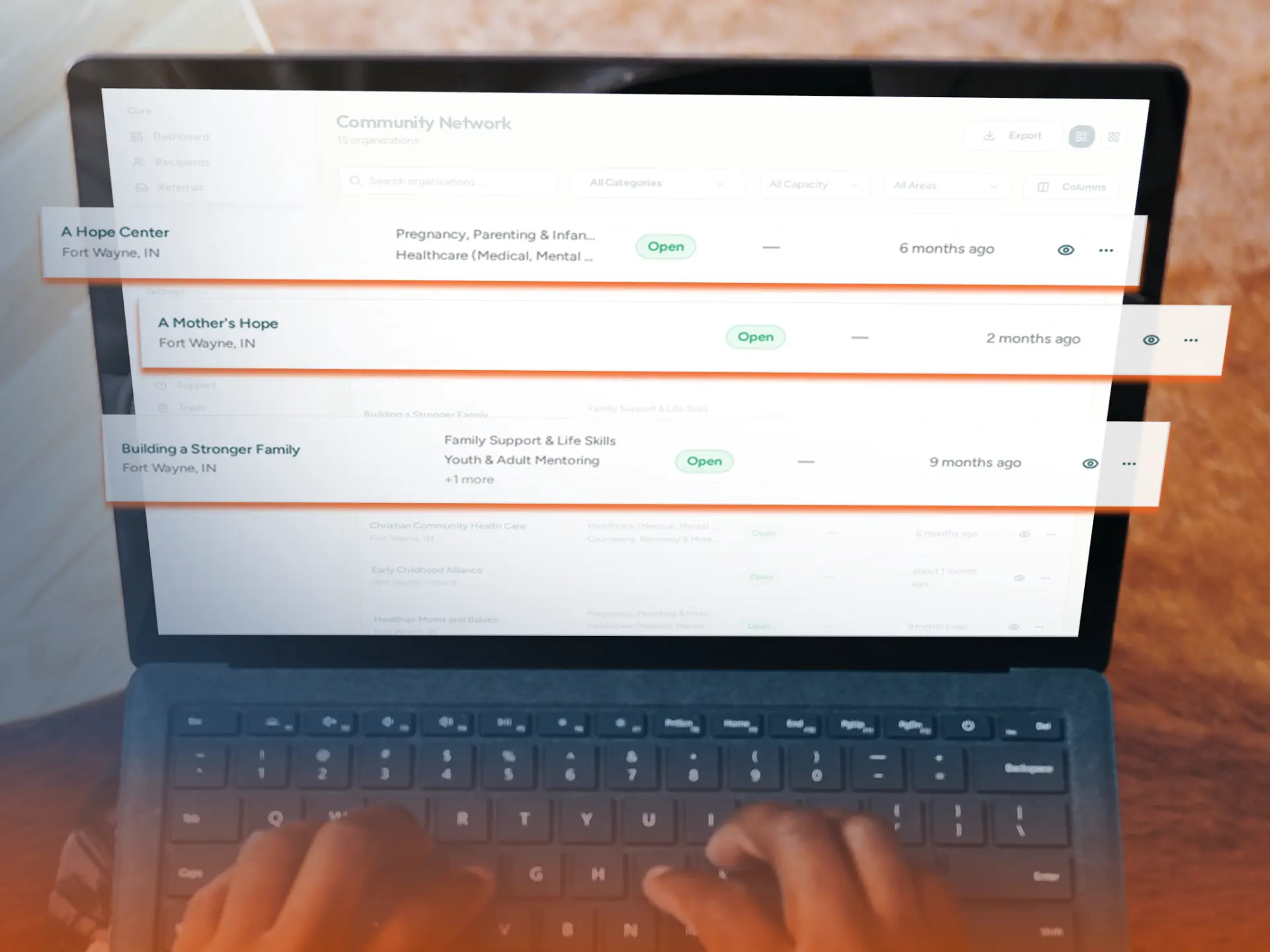
Private Provider Networks shown in HopeMatch Networks

Inside HopeMatchNetwork view

Private Provider Networks

A private network with defined membership and per-organization access.
02 — Know

Provider and Program Directory

Refer based on the program’s fit, not just a familiar name.

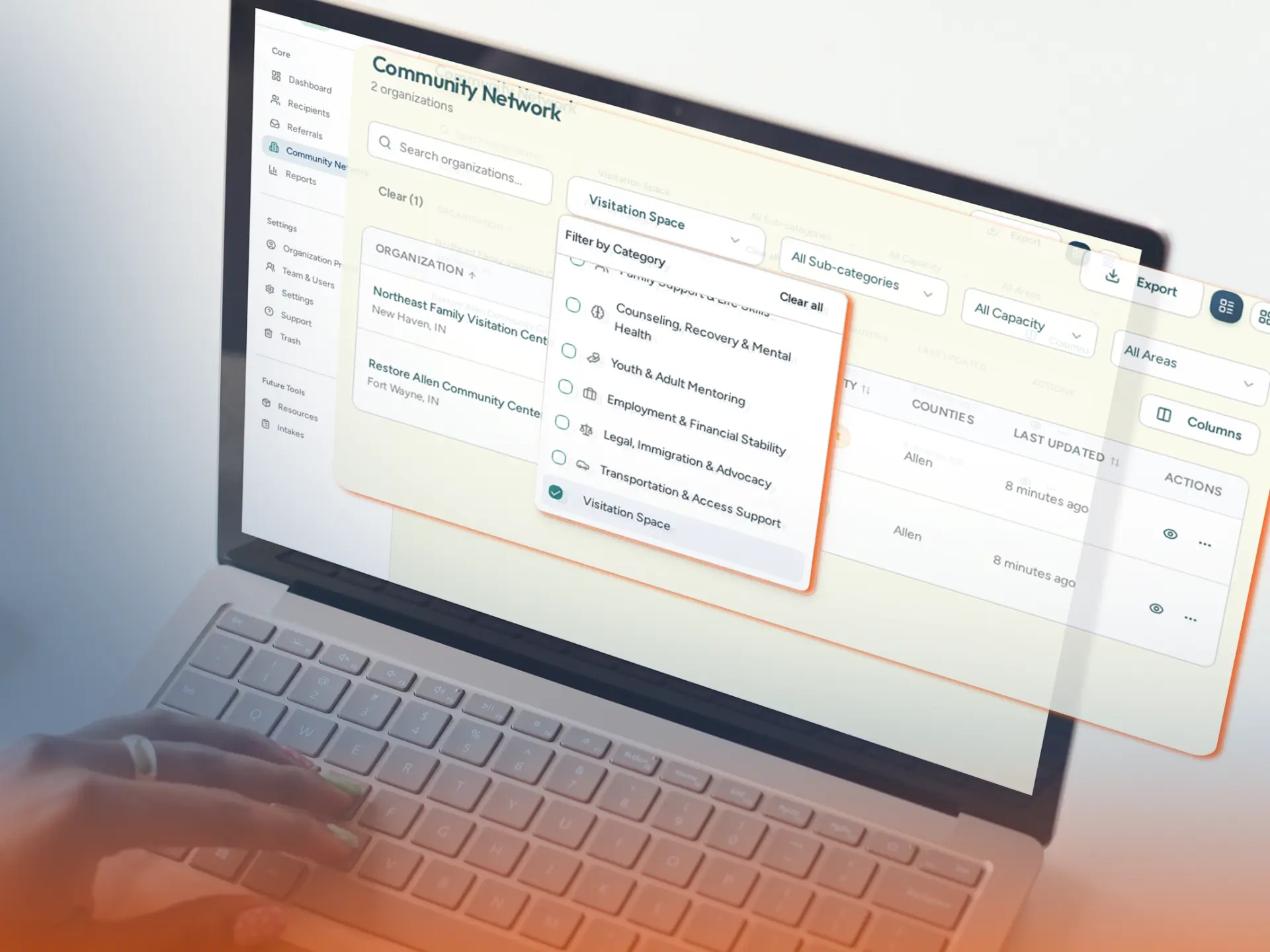
Networks gives participating providers a shared place to review services, referral contacts, eligibility notes, and access requirements — distinguishing programs within the same organization rather than treating every service as interchangeable.

Use Networks to

  • Review the services offered by participating organizations.
  • Check eligibility, service areas, and relevant requirements.
  • Find referral contacts, intake instructions, and capacity or waitlist information when provided.
Eligibility notesReferral contactsService areasWaitlist status

Know who provides what before making the referral.

Provider and Program Directory shown in HopeMatch Networks

Inside HopeMatchProvider view

Provider and Program Directory

Program-level detail with eligibility, contacts, and capacity notes.

03 — Share

Shared Intake

Reduce repeated information gathering while preserving the conversations that matter.

Shared intake gives providers a common starting point for a warm handoff. Relevant information can accompany the referral with appropriate consent, helping the receiving organization understand the request before beginning its own assessment.

Use Networks to

  • Document the immediate need, referral reason, and relevant participant details.
  • Pass along the context the receiving provider needs to review the request.
  • Let each organization collect additional information required for its programs.
Immediate needReferral reasonConsent-based sharingProvider-specific intake

Give the next provider useful context, not another blank form.

Shared Intake shown in HopeMatch Networks

Inside HopeMatchProvider view

Shared Intake

A common intake that travels with the referral, with consent.

04 — Refer

Warm Referrals

Make the handoff easier to understand and act on.

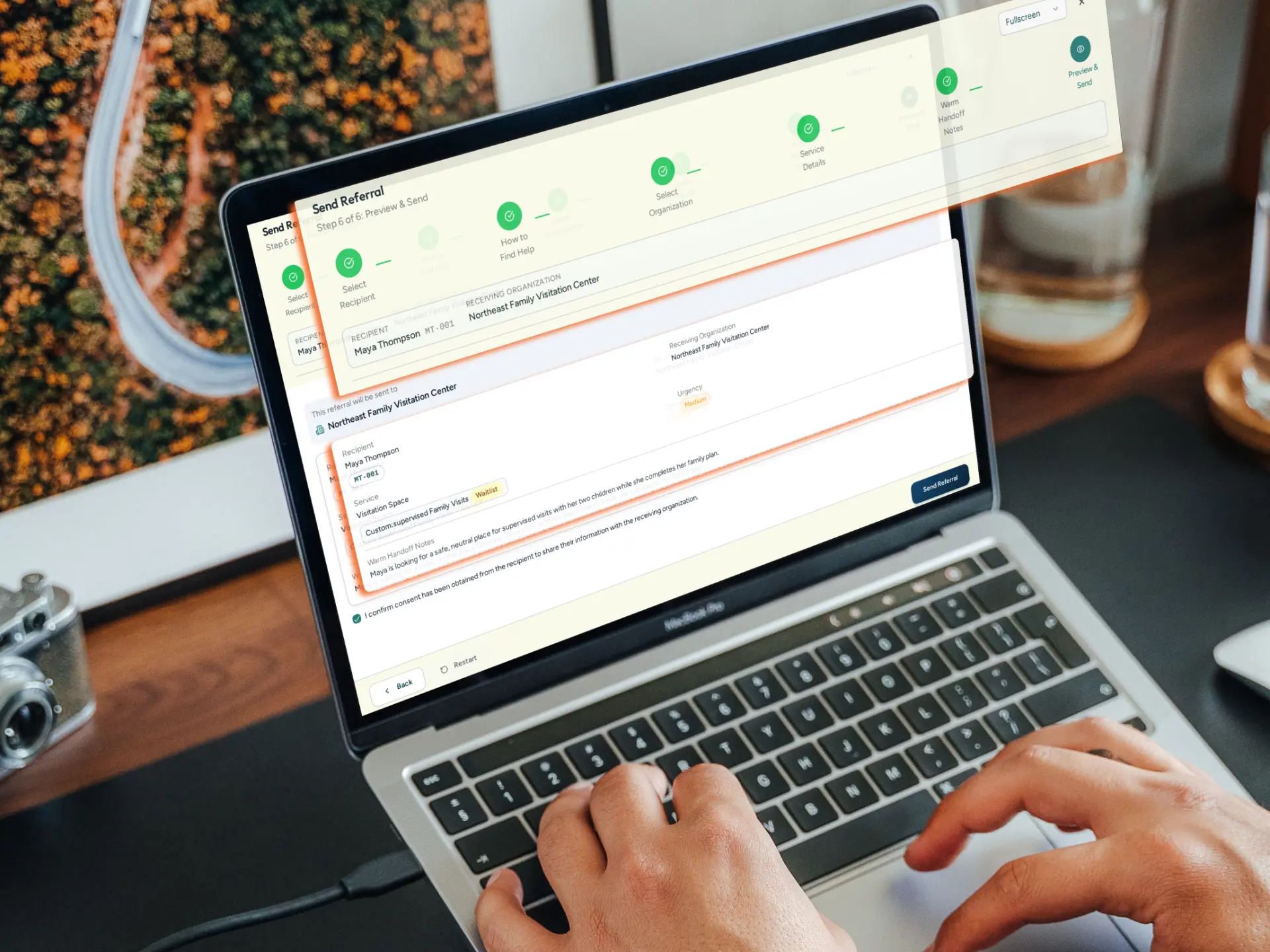
A warm referral connects the person, the need, and the receiving organization in one request. Instead of asking a participant to carry all the information between providers, staff can send the referral directly with the context needed to consider it.

Use Networks to

  • Connect the request to the person and the support being sought.
  • Select an appropriate organization or program within the Network.
  • Add referral notes and permitted intake information so the receiving team understands why you are reaching out.
Referral notesPermitted intakeProgram selection

Send more than a phone number.

Warm Referrals shown in HopeMatch Networks

Inside HopeMatchProvider view

Warm Referrals

A referral that carries the person, the need, and the context together.

05 — Track

Referral Status Tracking

See where things stand and what needs attention.

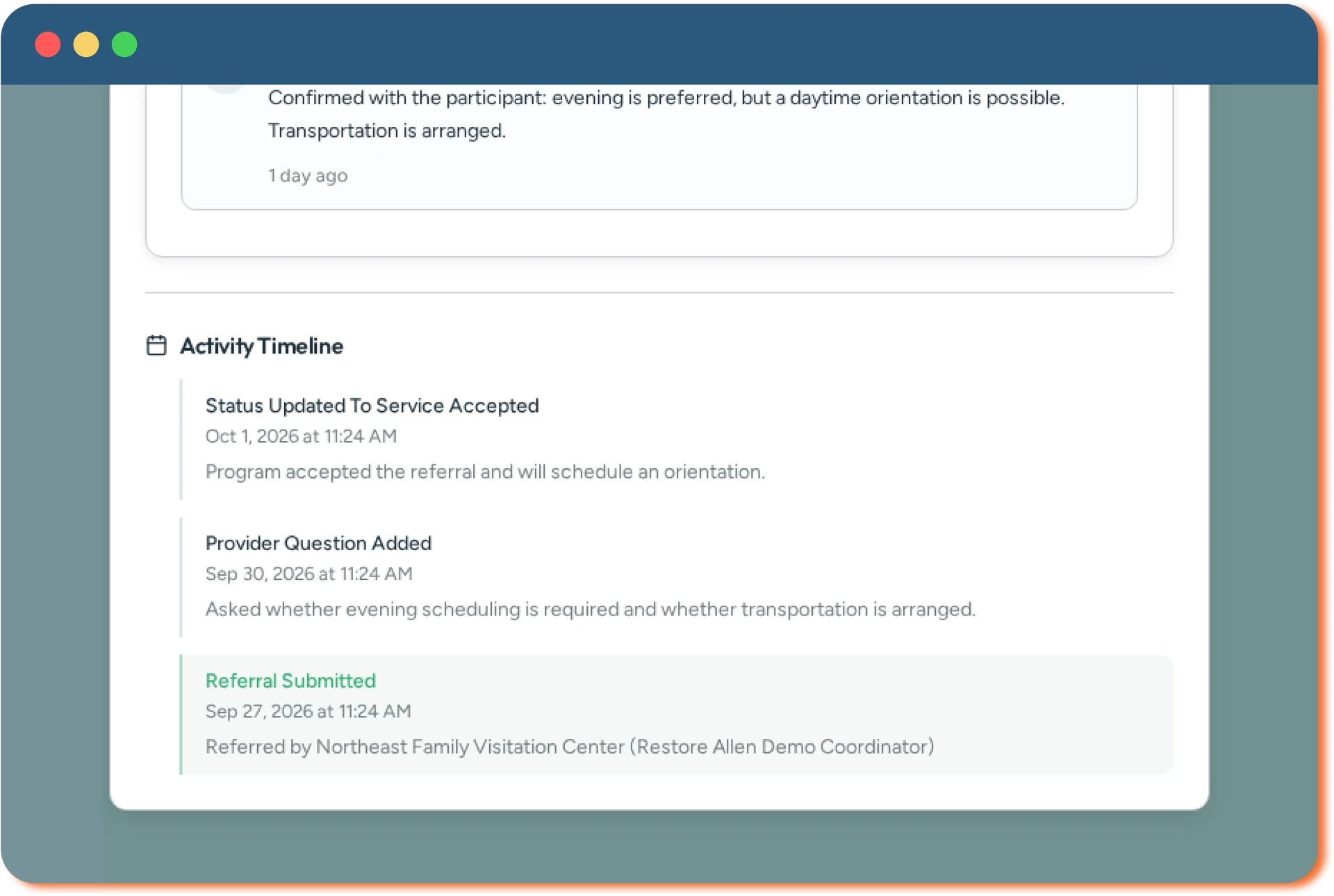
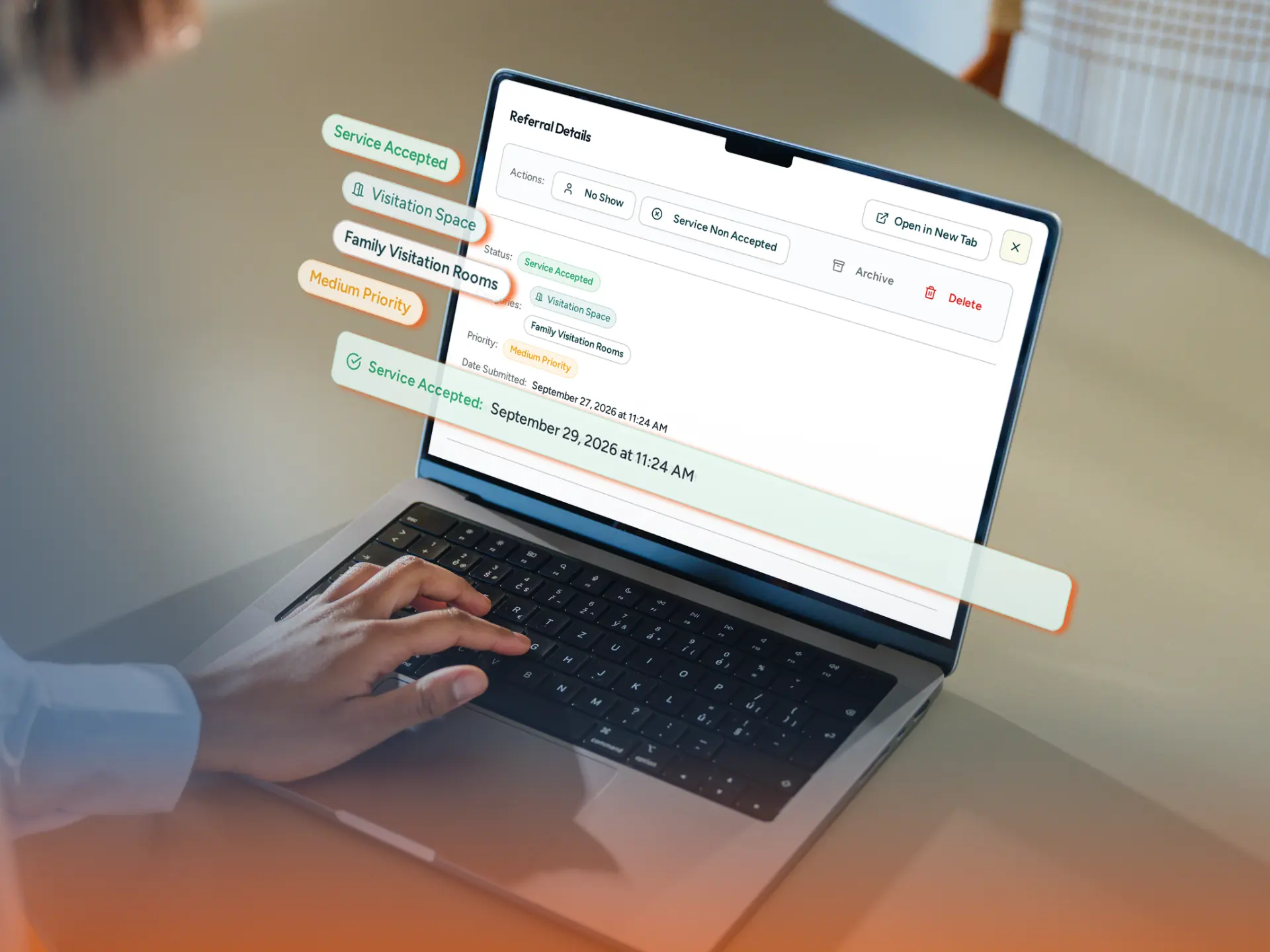
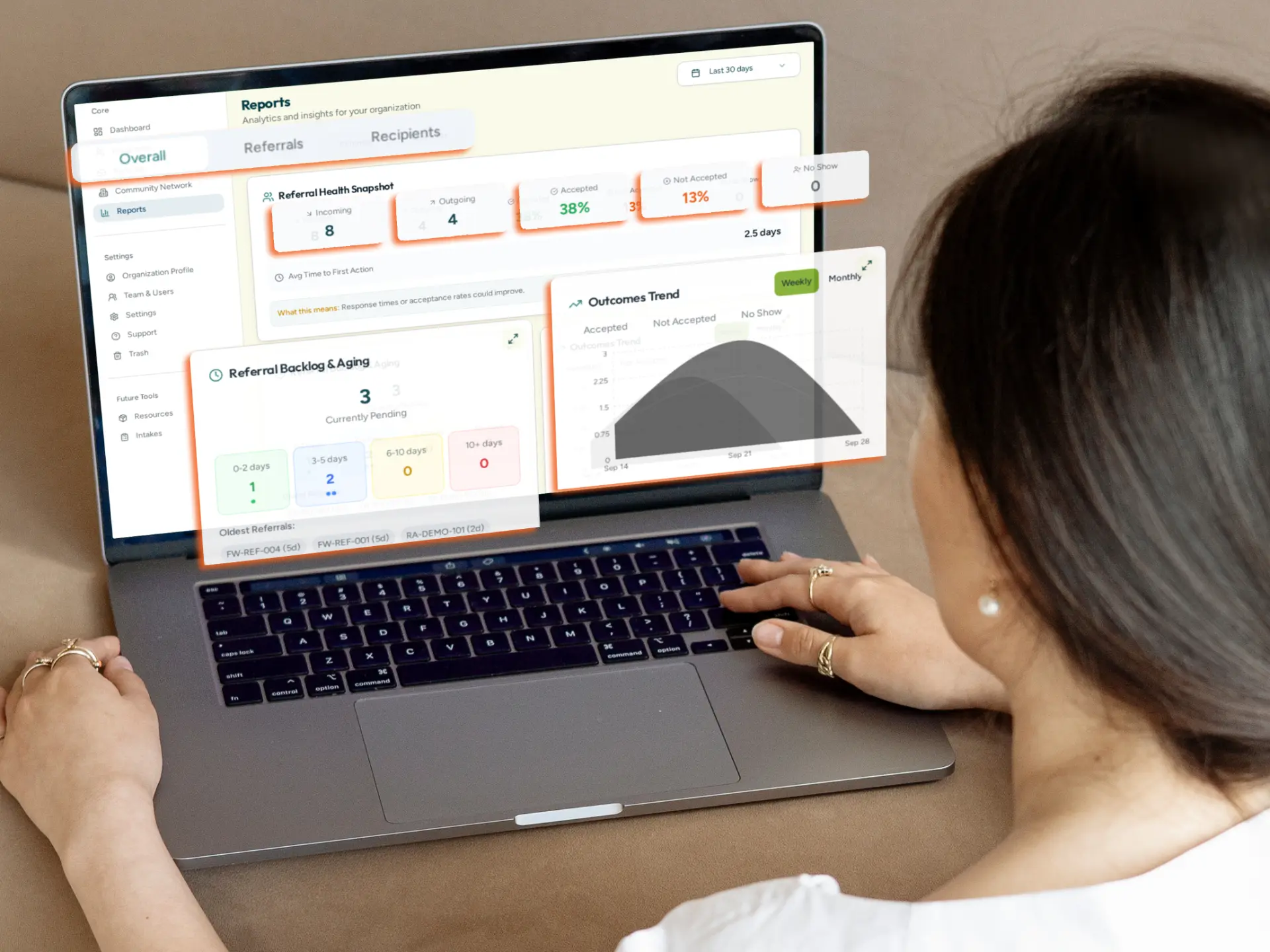
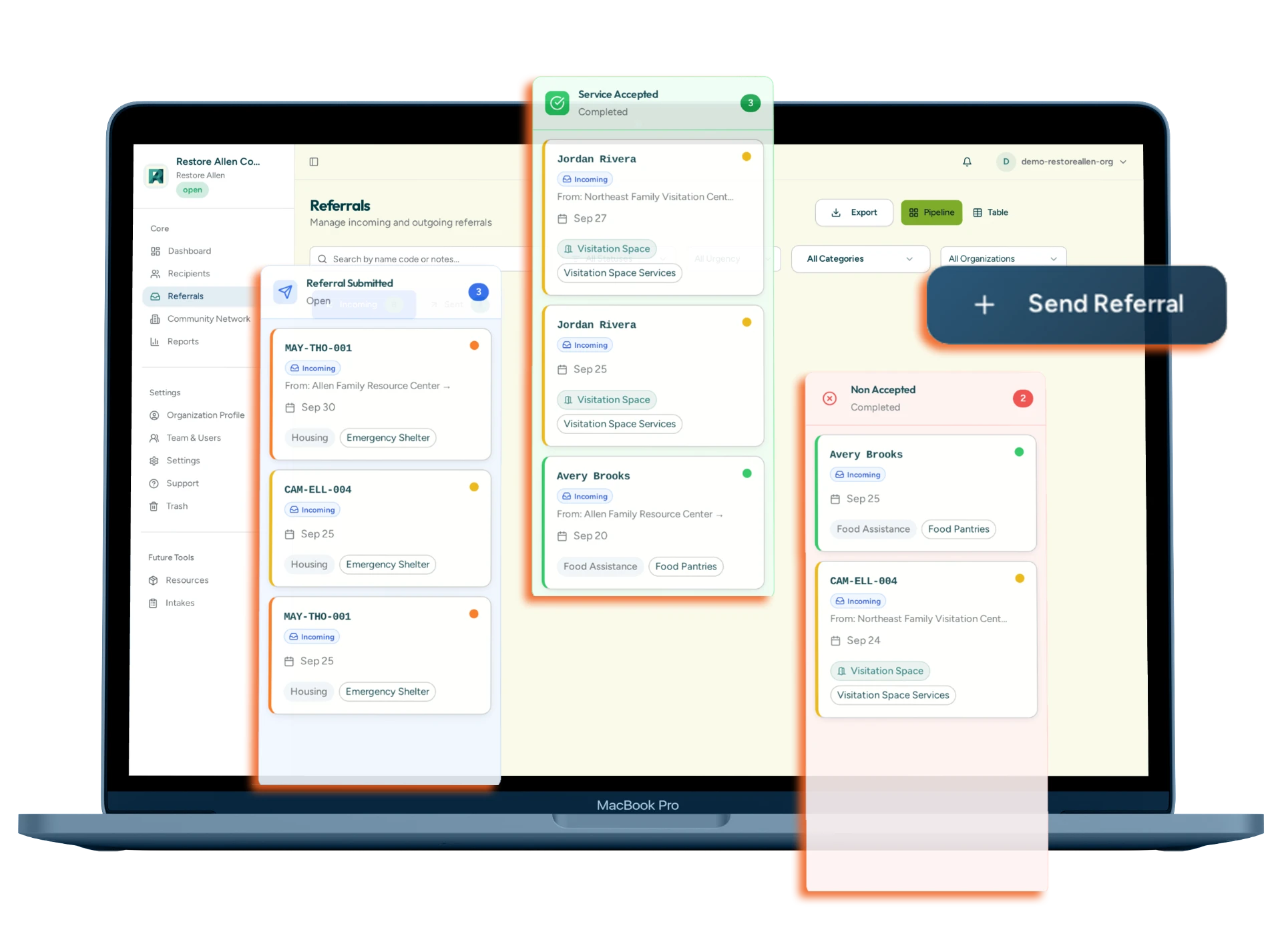
Networks brings incoming and outgoing referrals into a shared tracking process. Recorded updates make progress visible without requiring a separate phone call for every status check.

Use Networks to

  • See whether a referral is awaiting review, needs more information, has been accepted, or has a recorded outcome.
  • Identify referrals that still need a response or follow-up.
  • Know whether a provider agreed to proceed and whether help was ultimately delivered.
Awaiting reviewNeeds more infoAcceptedOutcome recorded

Replace assumptions about progress with a clearer view of what has been recorded.

Referral Status Tracking shown in HopeMatch Networks

Inside HopeMatchProvider view

Referral Status Tracking

Incoming and outgoing referrals with recorded status at every step.

06 — Communicate

Provider Communication and Follow-Up

Keep the conversation connected to the referral.

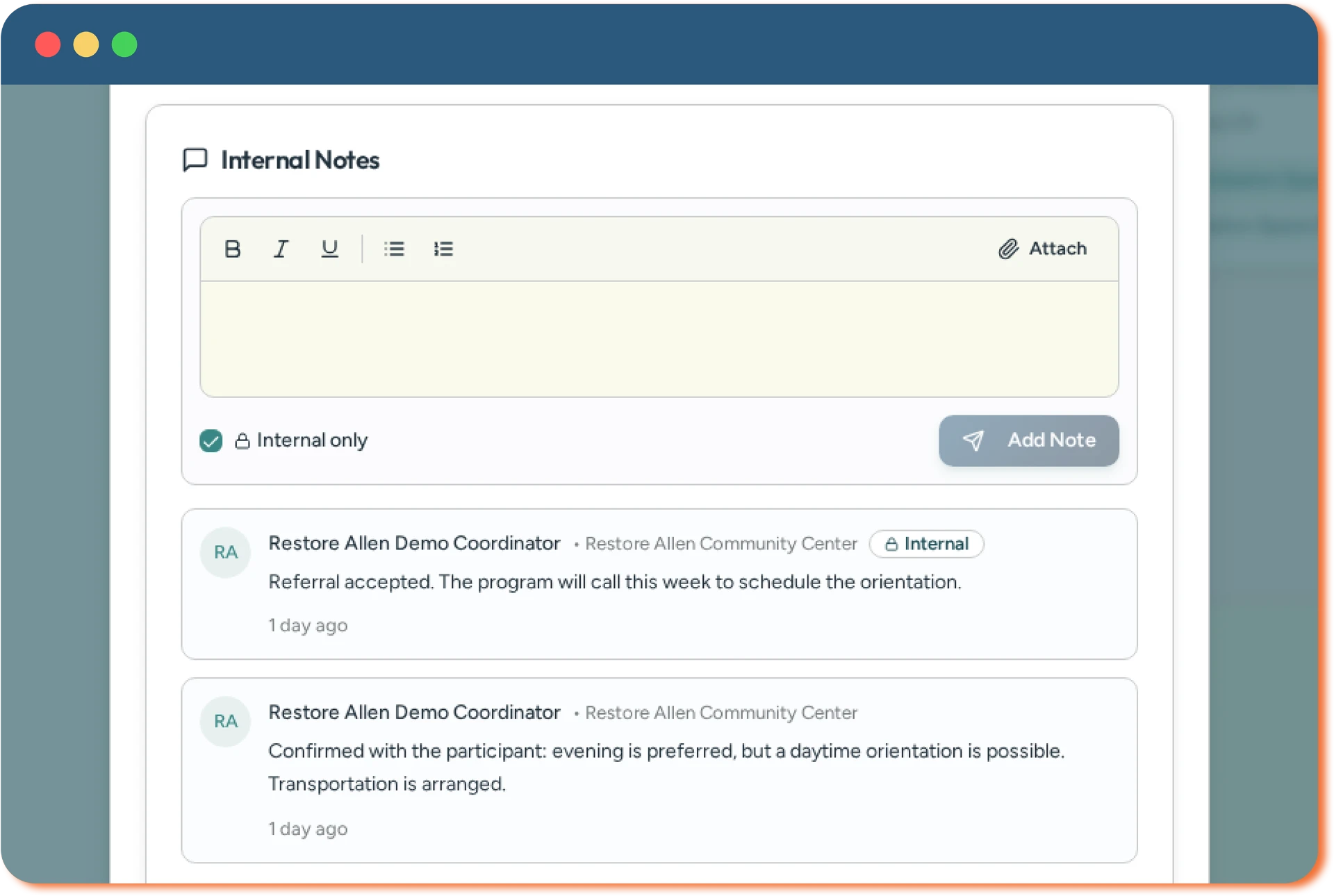
A receiving provider may need more information before deciding whether it can help. Networks supports questions and updates within the referral process, so the conversation stays connected to the request.

Use Networks to

  • Request clarification without treating every incomplete referral as a rejection.
  • Keep referring and receiving providers informed as the situation develops.
  • Use notifications and reminders to draw attention to questions, pending referrals, and status changes.
Clarifying questionsStatus updatesReminders

Spend less effort reconstructing the conversation and more attention deciding what happens next.

Provider Communication and Follow-Up shown in HopeMatch Networks

Inside HopeMatchProvider view

Provider Communication and Follow-Up

Questions and updates threaded directly on the referral.

07 — Redirect

Redirection and Barrier Tracking

Make an unsuccessful referral the start of a better next step.

Sometimes the first provider cannot help. The important question is why. Recording that reason helps the referring organization choose another path — and helps the Network see where genuine gaps exist.

Use Networks to

  • Capture reasons such as eligibility, capacity, waitlists, geography, or missing information.
  • Use that information to identify a more appropriate option.
  • Coordinate the next referral with the participant rather than leaving them to restart the search alone.
CapacityEligibilityGeographyWaitlists

Learn from the first response instead of repeating the same unsuccessful referral.

Redirection and Barrier Tracking shown in HopeMatch Networks

Inside HopeMatchProvider view

Redirection and Barrier Tracking

Recorded barriers turn a dead end into a better next option.

08 — Report

Closed-Loop Outcomes and Network Reporting

Know what was provided, what remains unresolved, and where coordination can improve.

Sending a referral records an action. Closing the loop records a result. Those individual records give Network leaders a foundation for reviewing how the group works together.

Use Networks to

  • Distinguish help delivered from requests that remain open or could not be fulfilled.
  • Understand responses, completion patterns, and recorded reasons for unsuccessful connections.
  • Recognize where additional coordination, provider participation, or resources may be needed.
Service outcomesCompletion patternsRecurring gaps

Build a clearer picture of the work happening between your organizations.

Closed-Loop Outcomes and Network Reporting shown in HopeMatch Networks

Inside HopeMatchNetwork view

Closed-Loop Outcomes and Network Reporting

Network-level reporting built from recorded referral outcomes.

For your community

Designed for the people coordinating care and the partners supporting them.

Coalitions and care networks

Turn shared commitment into a shared process.

Give your members a practical way to coordinate between meetings. Establish consistent referral expectations, improve visibility, and help participating organizations understand their next action — for groups focused on prenatal care, family services, housing, reentry, mental health, recovery, and other community priorities.

Nonprofits and service providers

Extend your reach without extending your program scope.

Connect participants with support beyond your own services while maintaining visibility into the handoff. Your team continues doing the work it does best. Networks helps coordinate with the partners who provide the rest.

Foundations, healthcare & community sponsors

Support the coordination that helps programs work together.

Fund more than separate services. Help establish the shared workflows, provider participation, training, and support needed to connect them — with network activity as a foundation for understanding referral barriers, subject to appropriate reporting permissions.

A practical path

Explore a HopeMatch Network in three steps.

Step 01

See a referral from start to finish

Walk through sending, receiving, responding to, and tracking a referral. See current functionality and discuss requirements specific to your group.

What you leave with

A clear picture of how referrals move, and where your group's questions sit.

Step 02

Define your Network

Identify the participating organizations, population served, referral workflows, information-sharing boundaries, and local leadership.

What you leave with

Named organizations, a Network lead, and agreed boundaries for shared information.

Step 03

Build a practical rollout plan

Start with a focused group. Establish training and support, test real workflows, and expand as participation develops.

What you leave with

A focused first group with training, agreed workflows, and next steps.

Questions

Questions from potential partners.

The HopeMatch system

Part of a connected system. Useful on its own.

Each HopeMatch product stands on its own. Together, they follow the same journey — from finding help, to coordinating it, to engaging the community, to understanding what changed.

Product connections are developed around each deployment's capabilities, permissions, and information-sharing practices.

Make the handoff part of the care.

Your partners already share a commitment to the people they serve. Let’s explore how HopeMatch Networks could strengthen coordination across your organizations.

Come ready to share your partner organizations, the coordination problem you want to solve, and how your group handles referrals today.

Request a demo

This opens a draft in your own email app — nothing is stored or sent by this website.

HopeMatch Networks · The coordination layer for the system of care.