HopeMatch Impact

See where help reached people — and where gaps remain.

HopeMatch Impact helps community leaders understand recorded needs, responses, and outcomes across participating HopeMatch products.

HopeMatch Impact

Leadership summary

674 recorded needs across participating products

Recorded needs
674
Service confirmed
412
Recorded unresolved
138
Outcome unknown
124

Explore the sample data.

  • Service confirmed412 (61.1%)
  • Recorded unresolved138 (20.5%)
  • Outcome unknown124 (18.4%)

What this helps you see

412 of 674 needs have a confirmed service; 124 still have no recorded outcome.

The gap · fragments without a result

You can count referrals and still not know whether people received help.

Visits, referrals, donations, and volunteer hours each tell part of the story. None of them answer the questions that matter most.

Website visitsApplicationsReferralsDonationsVolunteer hours

Each measure tells part of the story. None proves that help arrived.

01

Did the person receive a service?

02

Why was a referral declined?

03

Is the program full—or is it the wrong match?

04

What support is still missing?

Need

Response

Result

Impact connects the need, the response, and the result, so leaders can see what’s working and what isn’t.

Build reporting around the decisions you need to make.

Impact is being developed around practical stakeholder needs. A partnership conversation can distinguish existing data from reporting capabilities still being defined or built.

  1. 1

    Define the questions

    Choose the questions your team needs answered.

  2. 2

    Identify the available information

    See what data your partners record and can share.

  3. 3

    Shape a focused reporting plan

    Agree on first measures, reports, and who acts on them.

Connected by design

Built from the work happening across HopeMatch.

Impact is not another form asking organizations to describe their work after the fact. Its purpose is to bring together information generated as people seek help, providers coordinate services, and communities respond.

HopeMatch Discover

What people need and the next steps they take.

HopeMatch Networks

Referral results, and why some didn’t lead to help.

HopeMatch Mobilize

What organizations asked for and what the community gave.

The other products help manage individual connections and opportunities. Impact helps leaders understand the patterns across them. Reporting grows with the products in use, the information recorded, and the sharing permissions established by participating partners.

Planned reporting

Reporting tools that help leaders act.

See more than how much activity happened. Understand what support reached people, what prevented a connection, and where additional resources or coordination may be needed.

The tools below describe planned reporting.

01 — Demand · Planned

Demand Insights

Understand the needs people are bringing to your community.

“Housing is a big need” is too broad to act on. Demand Insights shows what kind of help people ask for, which needs show up together, and how that changes.

Use Impact to

  • See what kinds of help people ask for.
  • Spot patterns by place, need, and time.
  • Flag repeat requests worth a closer look.
Request typesGeographic differencesChanges over time

Start with what people are actually asking for.

This reflects people using HopeMatch, not everyone in need.
HopeMatch Impact Demand Insights report displayed on a laptop

Inside HopeMatchLeadership view

Demand Insights

Needs expressed through HopeMatch, organized for review.
02 — Referrals · Planned

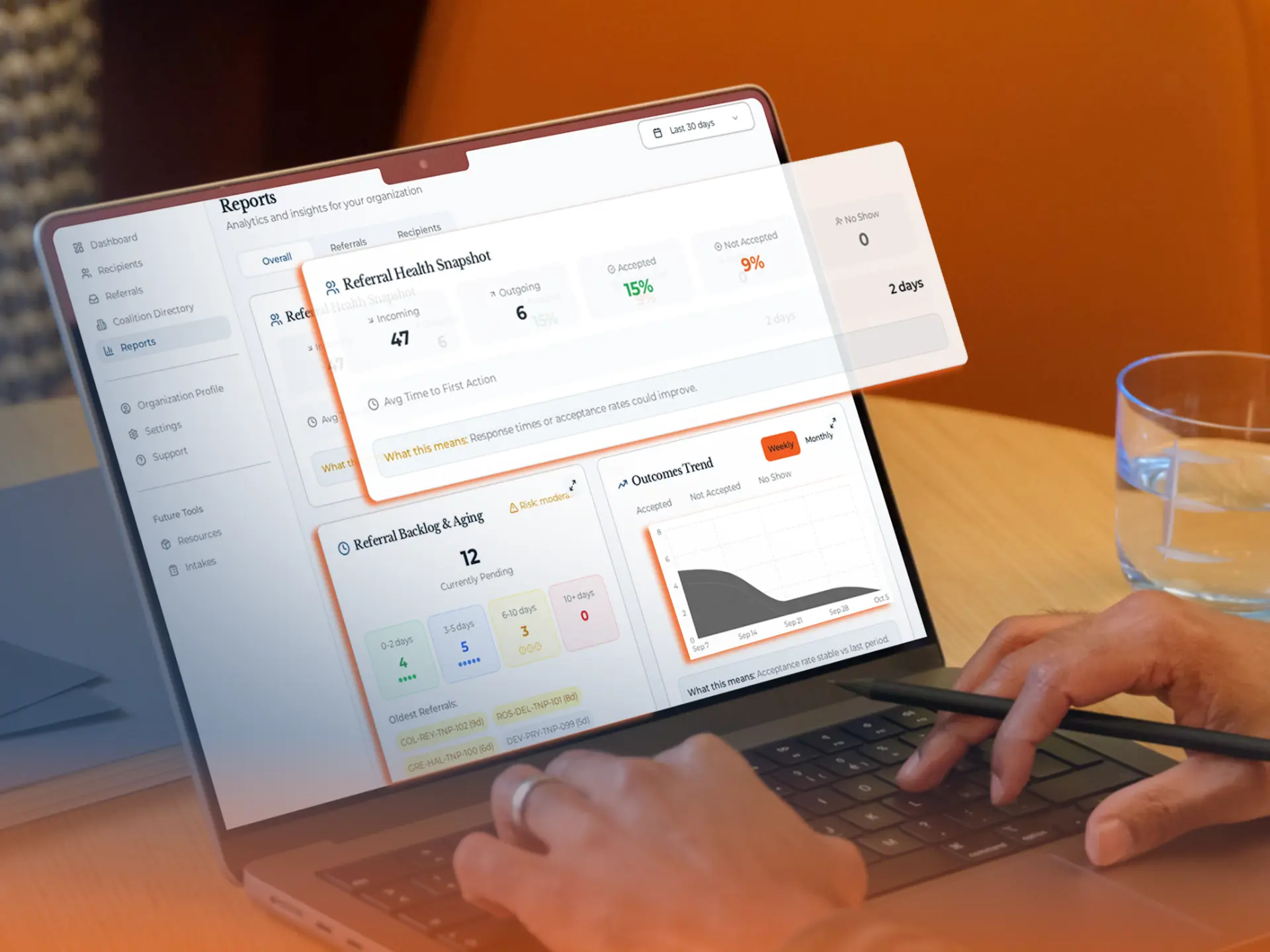
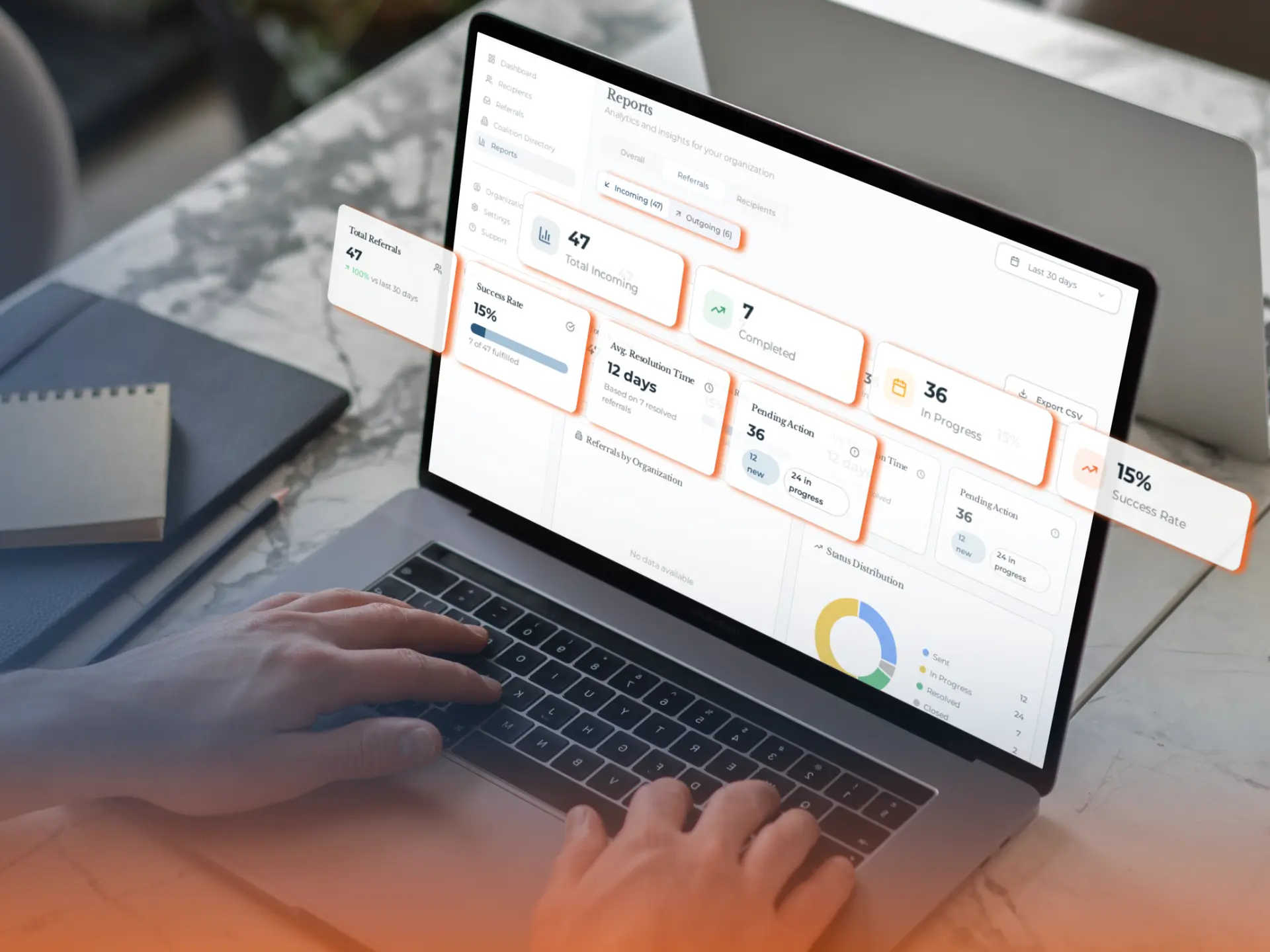
Referral Performance

See how effectively connections move toward care.

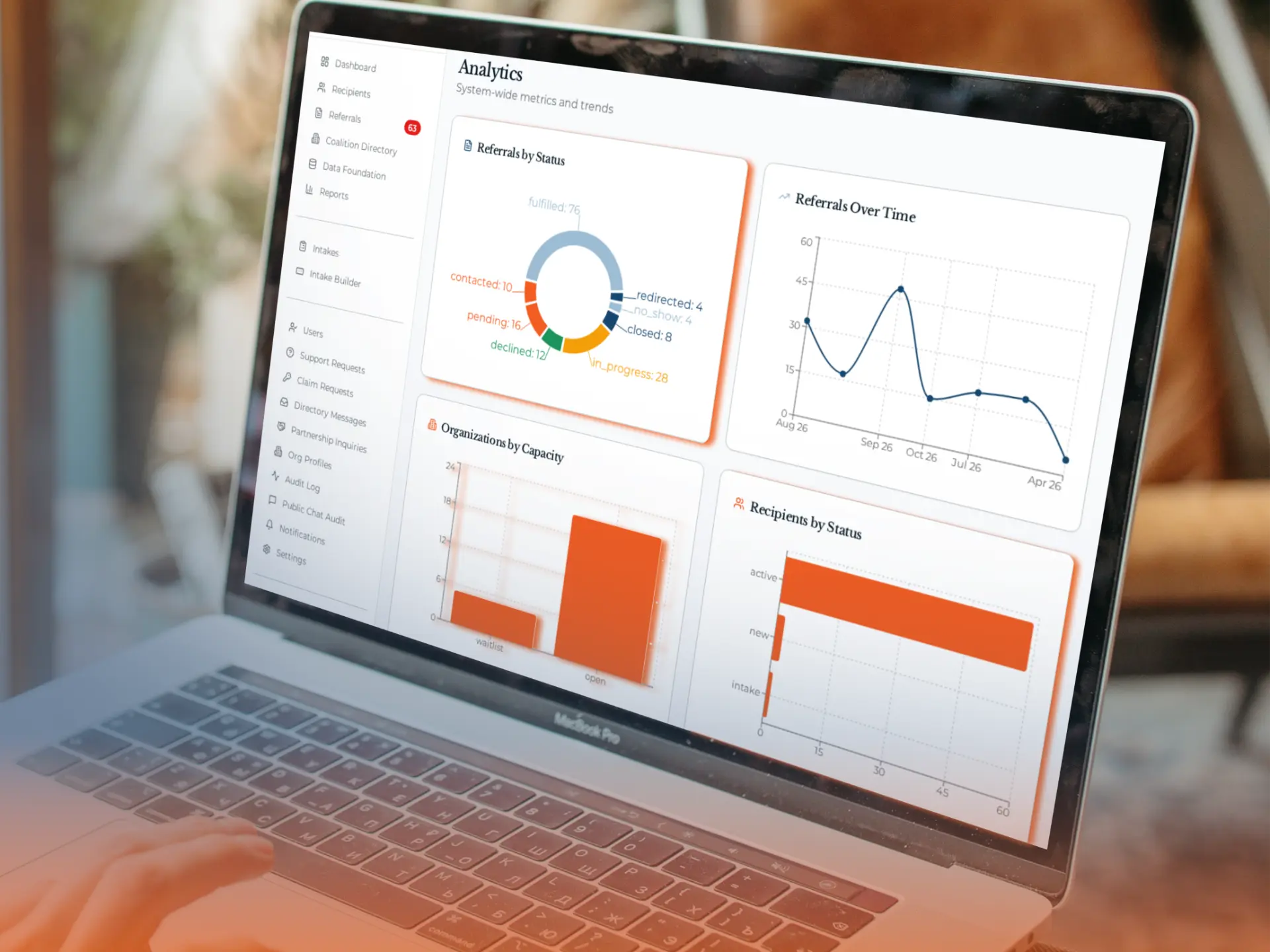
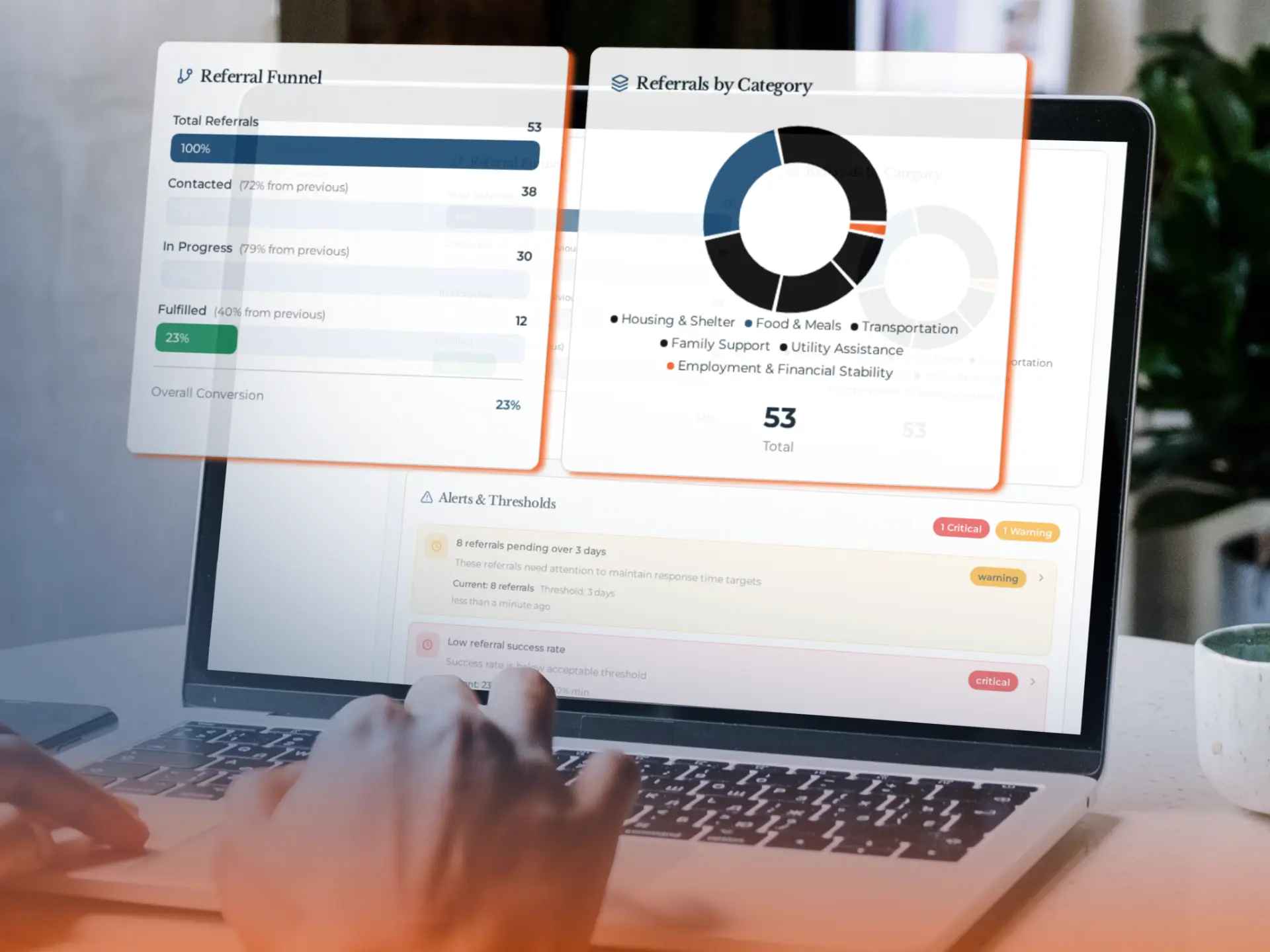
A referral count shows someone acted. It doesn’t show whether help arrived. Referral Performance shows what happened next.

Use Impact to

  • See which referrals were accepted, declined, completed, or redirected.
  • See how long responses and services take.
  • See where referrals get stuck.
AcceptedDeclinedCompletedRedirected

More referrals isn’t the goal. More people helped is.

Staff manage each referral in Networks. Impact shows leaders the bigger picture.

HopeMatch Impact Referral Performance report displayed on a laptop

Inside HopeMatchLeadership view

Referral Performance

Referral progress across participating providers, from sent to completed.

03 — Gaps · Planned

Gap Analysis

Understand why a need remains unresolved.

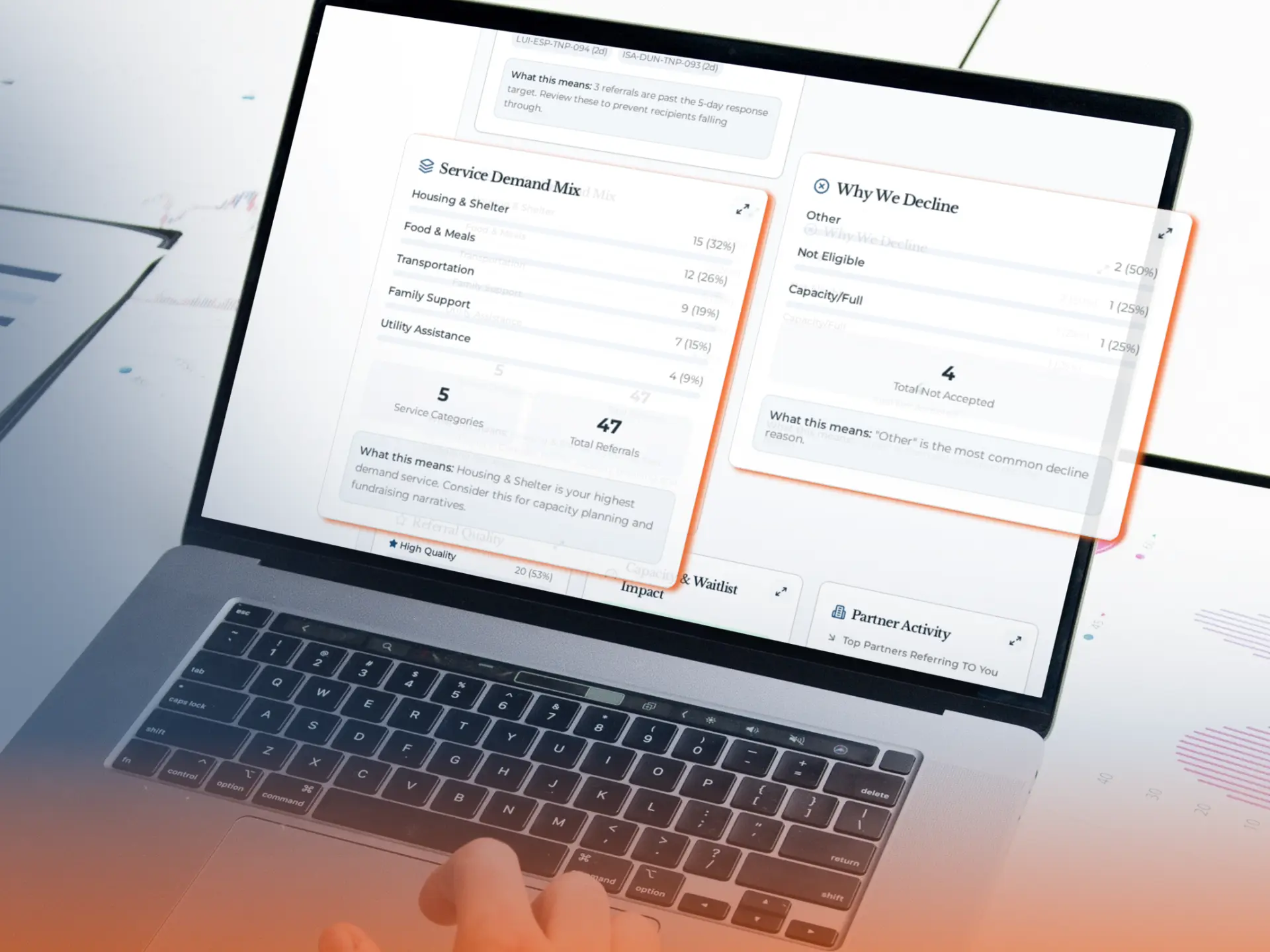
A failed referral doesn’t always mean a missing program. The person may not qualify, live outside the area, or the program may be full. Gap Analysis shows why.

Use Impact to

  • See why help wasn’t provided: eligibility, location, paperwork, and more.
  • Tell a wrong referral apart from a missing service.
  • Find gaps that keep coming back.
EligibilityGeographyDocumentationCapacity

Fix the reason help didn’t happen.

An unrecorded outcome is unknown, not a failure.

HopeMatch Impact Gap Analysis report displayed on a laptop

Inside HopeMatchLeadership view

Gap Analysis

Recorded reasons a connection did not result in help.

04 — Capacity · Planned

Capacity Visibility

See where providers need support to meet demand.

A provider may have the right program but not enough staff, space, or money. Capacity Visibility shows where that pressure is.

Use Impact to

  • See waitlists and “program full” declines.
  • Tell one full program apart from a full organization.
  • Talk with providers about what would help.
WaitlistsProgram fullService-level pressure

Help providers show where support would make a difference.

Lots of referrals doesn’t prove a provider is overwhelmed. Ask them.

HopeMatch Impact Capacity Visibility report displayed on a laptop

Inside HopeMatchLeadership view

Capacity Visibility

Program-level capacity signals, in context.

05 — Mobilization · Planned

Mobilization Insights

Understand how the community is helping close the gaps.

Volunteers, donors, businesses, and neighbors fill gaps too. Mobilization Insights shows what they gave and where it went.

Use Impact to

  • See what organizations ask for.
  • Tell promises apart from what was delivered.
  • See what’s still unmet.
VolunteersSuppliesFundingExpertise

See what generosity covered, and what it hasn’t yet.

Repeated requests for volunteer drivers may point to a wider transportation gap.

HopeMatch Impact Mobilization Insights report displayed on a laptop

Inside HopeMatchLeadership view

Mobilization Insights

Requests, commitments, and fulfillment side by side.

06 — Outcomes · Planned

Outcome Visibility

Connect the original need with what happened next.

Accepted isn’t the same as delivered. Pledged isn’t the same as given. Outcome Visibility keeps those differences clear.

Use Impact to

  • Confirmed: what providers recorded as delivered.
  • Reported: what people said in follow-up.
  • Unknown: what’s still open or unconfirmed.
Confirmed servicesParticipant-reportedUnknowns visible

See what was done and what still needs attention.

Getting a service matters, but it doesn’t prove lasting change.

HopeMatch Impact Outcome Visibility report displayed on a laptop

Inside HopeMatchLeadership view

Outcome Visibility

The original need and what happened next, connected.

07 — Dashboards · Planned

Executive Dashboards

Bring the right information into the leadership conversation.

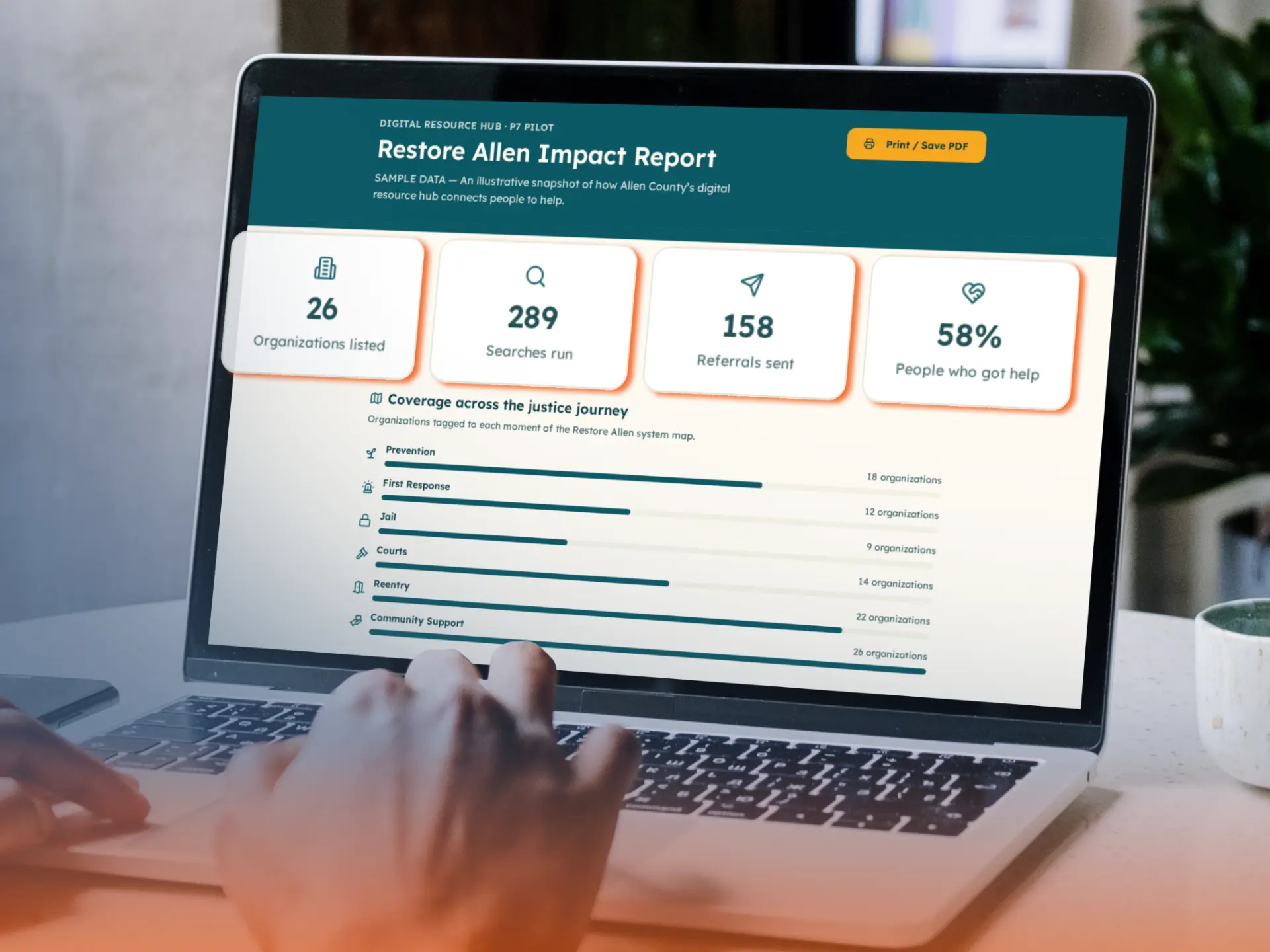
Leaders need answers, not more records. Dashboards put needs, referrals, capacity, and results on one screen.

Use Impact to

  • Show the numbers that matter to you.
  • See progress and gaps together.
  • Give partners the same starting point.
Network indicatorsProgress + gapsShared discussion

Spend meetings deciding, not digging.

Views are built around your questions and the data you have.

HopeMatch Impact Executive Dashboards report displayed on a laptop

Inside HopeMatchLeadership view

Executive Dashboards

Focused reporting views shaped around stakeholder questions.

08 — Investment · Planned

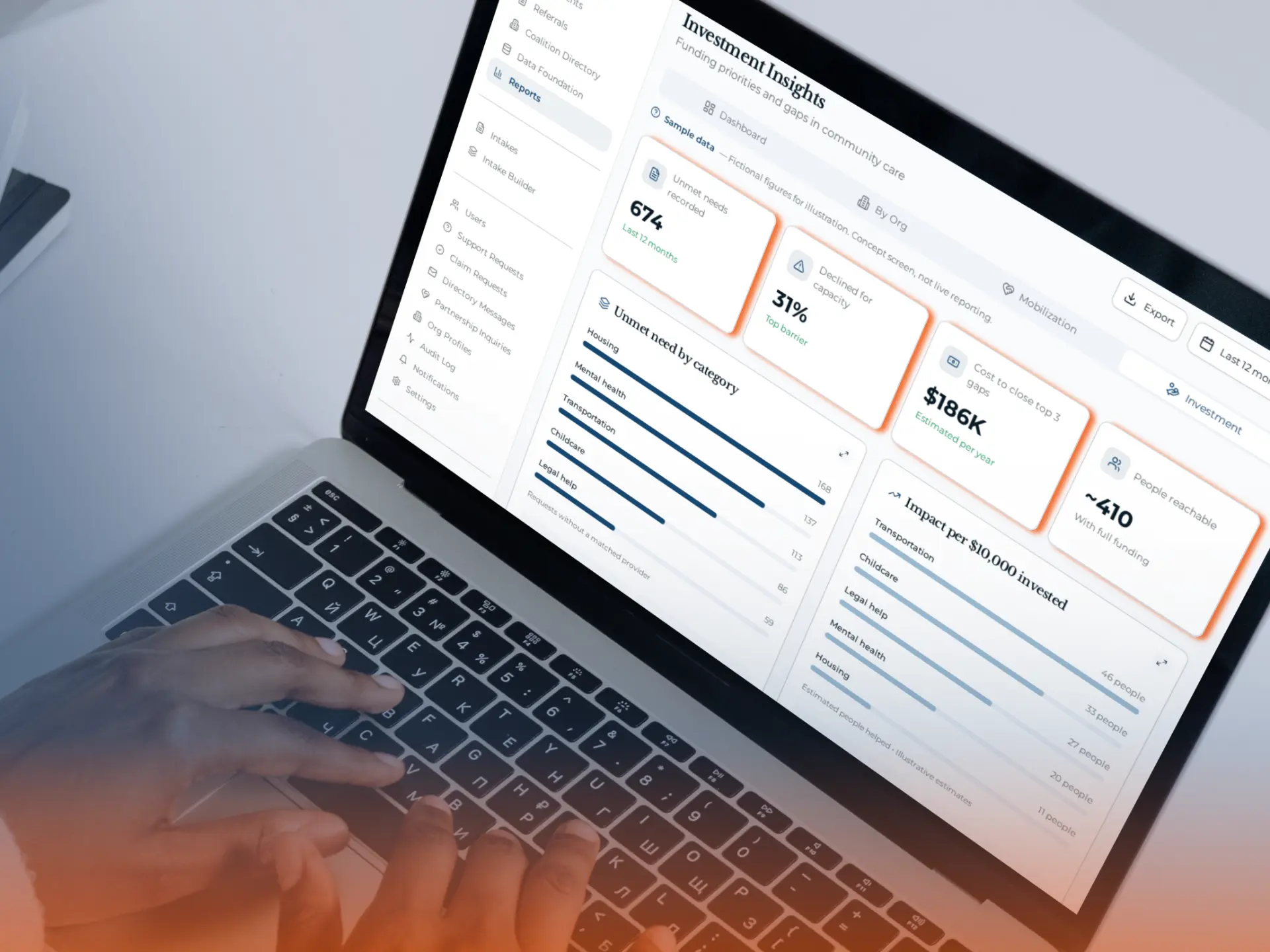
Investment Insights

Connect your next decision with the needs and barriers behind it.

The best next investment isn’t always a new program. It may be more capacity, better coordination, or transportation. Investment Insights helps you decide.

Use Impact to

  • See where funding could close a gap.
  • Strengthen programs that already exist.
  • Point volunteers and donors to real needs.
Funding prioritiesStronger servicesCommunity action

Ask better questions before you spend.

Impact informs decisions. It doesn’t pick grantees or replace local judgment.

HopeMatch Impact Investment Insights report displayed on a laptop

Inside HopeMatchLeadership view

Investment Insights

Evidence for the next decision, drawn from every reporting area.

A clearer question

From “We need more services” to “Here is the barrier we need to address.”

Consider a prenatal Network where participating providers record repeated transportation barriers.

Discover shows people seeking prenatal and family support. Networks records that some connections stall because participants cannot reach appointments. Mobilize shows volunteer transportation requests, including which were fulfilled and which remain open.

The answer still requires conversation with providers and participants. But the starting point is more useful than a general count of referrals or requests.

This illustrates the connected HopeMatch vision, not a claim about results already achieved.

Taken together, a more specific question

Would a stronger transportation partnership help people reach services that already exist?

Impact helps turn a recurring pattern into a practical decision about the community response.

  1. HopeMatch Discover

    1 · Signal

    People seek prenatal and family support.

  2. HopeMatch Networks

    2 · Barrier

    Some connections stall: people cannot reach appointments.

  3. HopeMatch Mobilize

    3 · Response

    Volunteer driver requests — some fulfilled, some open.

  4. HopeMatch Impact

    4 · Discussion question

    Would a transportation partnership help people reach existing services?

Illustrative example of the connected HopeMatch vision.

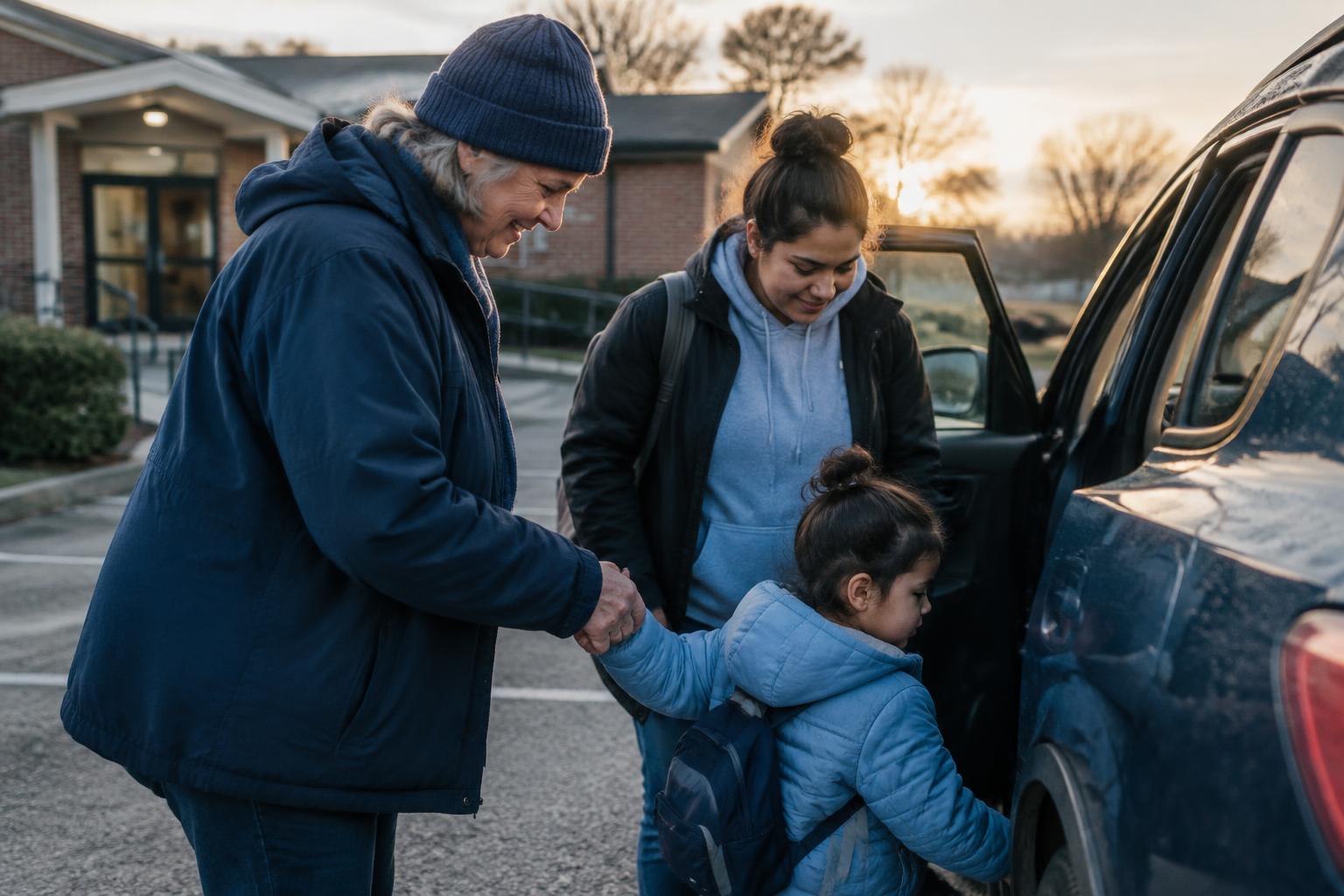
A volunteer driver helping a parent and young child into a car for an appointment
Illustrative photo · Getting to appointments can be the barrier

For your community

Built for the people responsible for strengthening that response.

Foundations and community funders

Understand where your support could address a meaningful gap.

See demand, barriers, and capacity to guide funding decisions.

Coalitions and Network leaders

Improve how your organizations work together.

See where referrals stall and where partners could work better together.

Nonprofits and healthcare partners

Put your organization’s work in a broader context.

See the needs reaching you and what people still need beyond your programs.

Businesses and community sponsors

Understand what your participation helped provide.

See what your support delivered and where to help next.

Trust

Better information should strengthen trust.

Two community organization leaders reviewing information together on a laptop
Shared learning, not unrestricted access to participant records

Impact is intended to support shared learning, not create unrestricted access to participant records. Private referral details, public service information, and aggregate reporting have different purposes. Access should reflect the participant’s consent, Network agreements, user permissions, and the needs of the intended audience.

A foundation sponsoring HopeMatch does not automatically gain access to individual participant histories. Cross-Network reporting requires defined information-sharing boundaries.

A clearer picture of community needs should not come at the expense of the people behind the data.

Dependable reporting

Useful reporting starts with information people can trust.

Impact depends on the work happening in Discover, Networks, and Mobilize. Clear definitions, consistent updates, and a practical process for recording outcomes matter as much as the dashboard itself.

A reporting partnership should establish:

What is being counted

Keep requests, people, referrals, services, and contributions distinct.

What the information covers

Make the participating organizations, reporting period, and known gaps clear.

Who maintains the record

Define responsibility for status updates, outcome confirmation, and review.

The objective is useful, dependable reporting built into normal workflows, not an additional reporting burden disconnected from the work. Start with a few questions you can answer reliably. Expand as participation and data improve.

Questions

Questions from potential partners.

The HopeMatch system

Start with what your community needs.

Start with the tools that fit your community. The wider vision connects finding help, coordinating referrals, community support, and reporting.

Product connections are developed around each deployment's capabilities, permissions, and information-sharing practices.

Put a clearer picture behind your next community decision.

Your organization wants to do more than count activity. You want to understand whether people are reaching help, why gaps remain, and how your community can respond more effectively. HopeMatch Impact is designed to bring those questions into focus.

Come ready to share the decisions your organization needs to make and the information your deployment captures today.

Discuss reporting needs

Your email app will open with your details. Review and send the message there.

No email app? Write to info@hopematch.ai

HopeMatch Impact · From activity to understanding.