
HopeMatch Discover

Make the help your community provides easier to find and access.

A public resource directory and guided service-matching platform that helps people explain their needs, find relevant local programs, and understand what to do next.

The gap · a path without directions

Finding a resource is not the same as getting help.

A directory can tell someone that a program exists. It may not explain whether they qualify, what to bring, how to apply, or where to turn if it does not work.

A mother at her kitchen table looking at her phone beside a stack of forms

“Do I qualify? What do I bring? Who do I call if this doesn’t work?”

One listing. Four unanswered turns.

A program exists
?Do I qualify?
?How do I apply?
?What if it doesn’t work?

The clear path

Find the program → understand eligibility → prepare to apply → get a next option.

What changes

Discover brings service information, personalized guidance, and practical next steps into one connected experience.

People should not have to become experts in the service system to receive help.

The platform

A better starting point for people. Practical support for your team.

Search directly or begin with guided questions. Discover’s tools work together without requiring every person to follow the same process.

01 — Find

Resource Directory

Help people understand what your programs offer and how to access them.

Bring local organizations, programs, services, and locations into one searchable place—with the details people need before reaching out.

Use Discover to

  • See what a program provides, whom it serves, and where it operates.
  • Review hours, application instructions, and required documents.
  • Search by need, location, access details, and other practical factors.
Food pantriesClinicsHousing helpUtilitiesTransportationFamily services

Make your services easier to find, understand, and approach.
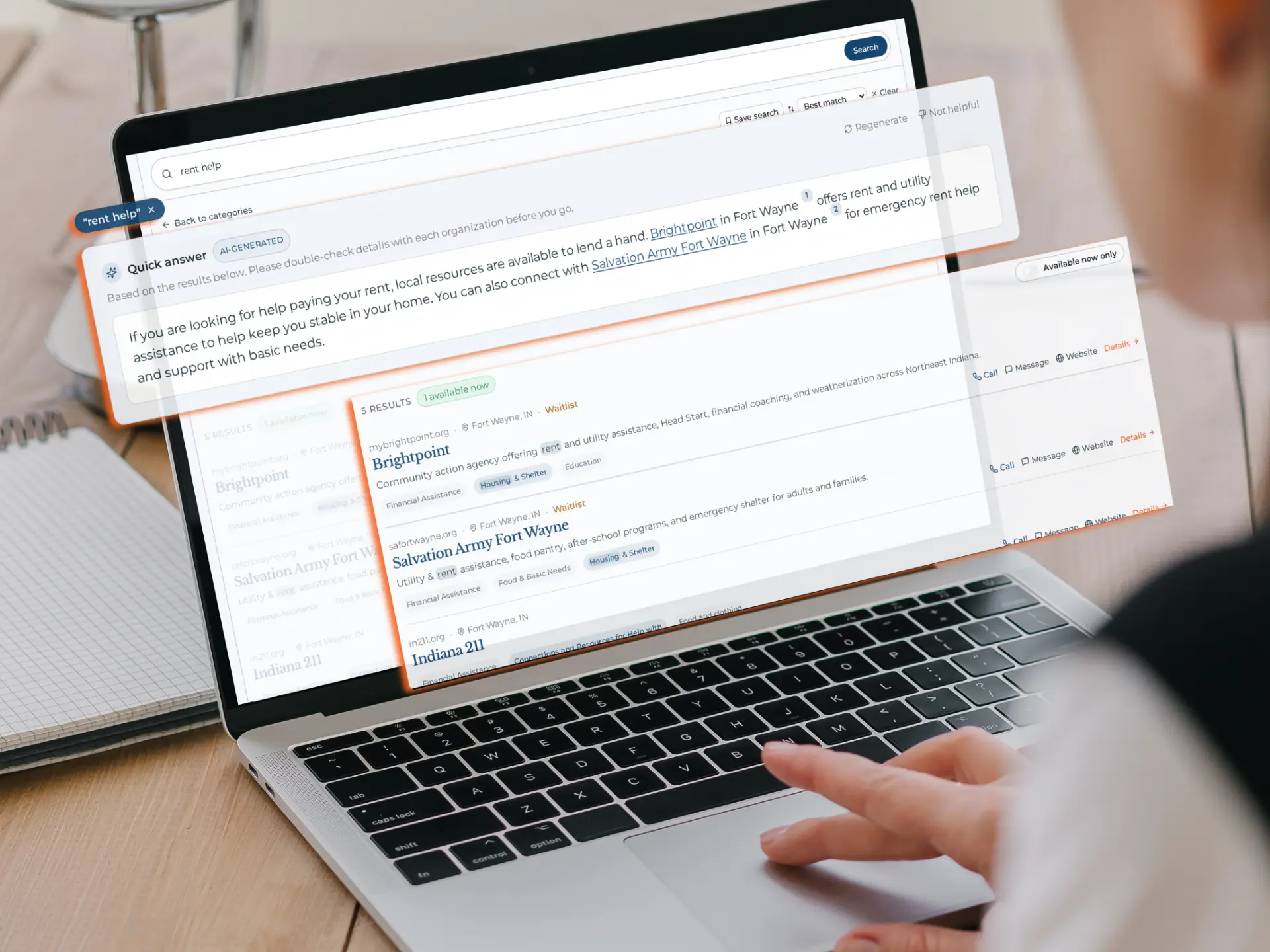
HopeMatch Discover directory search results on a laptop

Inside HopeMatchPublic view

Resource Directory

A searchable directory of local programs with hours, locations, and what to expect.
02 — Maintain

Nonprofit Profile

Keep your programs represented accurately.

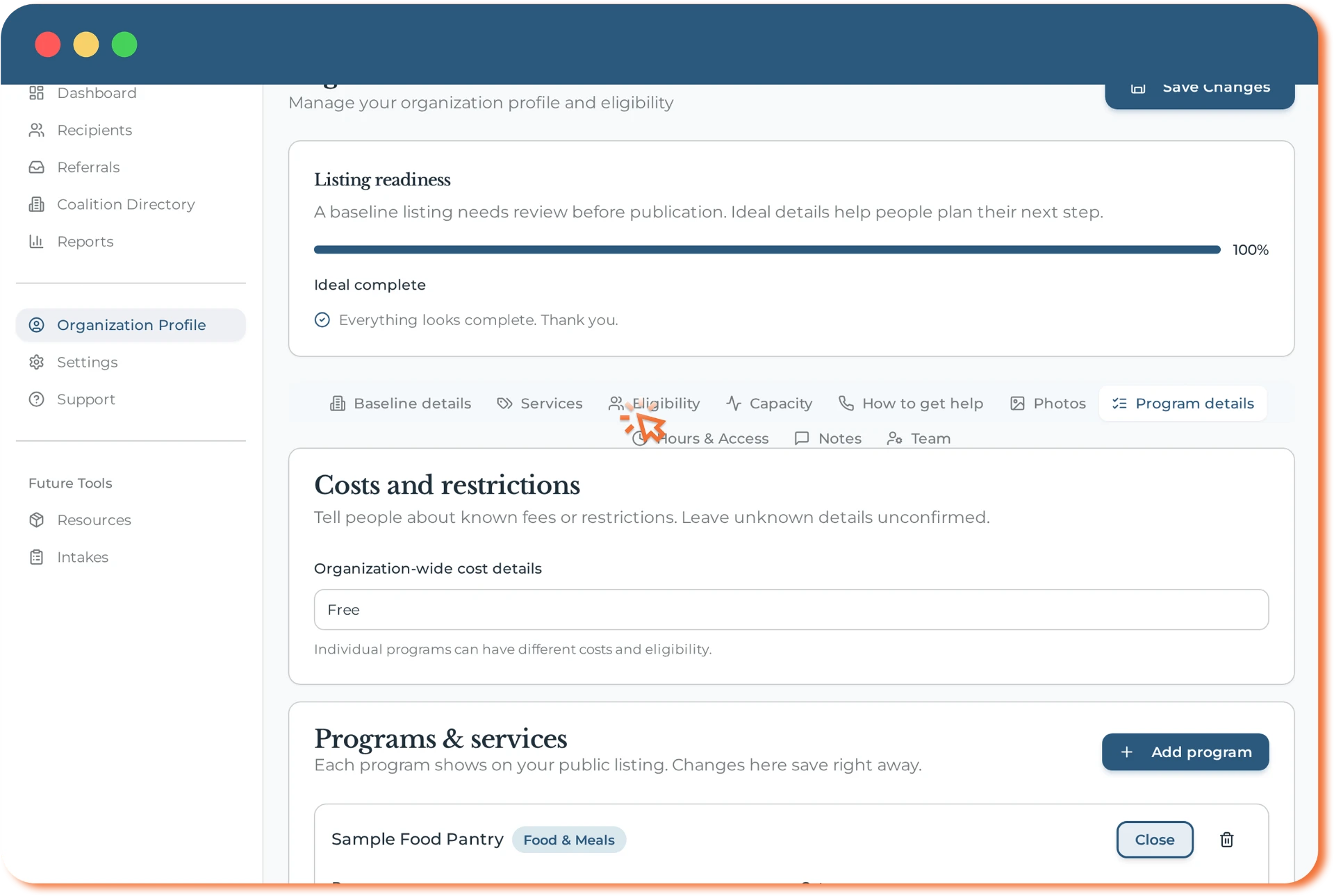
The directory works best when providers remain the source of truth. Organizations can claim and maintain their profiles so people begin with details they can trust.

Use Discover to

  • Claim your organization’s listing and confirm ownership.
  • Review what people see: services, eligibility, hours, and locations.
  • Show several programs under one organization, each with its own requirements.
  • Correct details yourself as services change — no waiting on anyone else.
Claim listingMultiple programsHours & locationsCorrections

Your team keeps the foundation current. Participants can then begin in the way that works for them.

HopeMatch nonprofit profile editor showing program details

Inside HopeMatchProvider view

Nonprofit Profile

One organization, several programs — details your team can keep current.

Understand the need

People can use a structured form or conversational guidance. Both paths create clear context for matching.

03 — Start

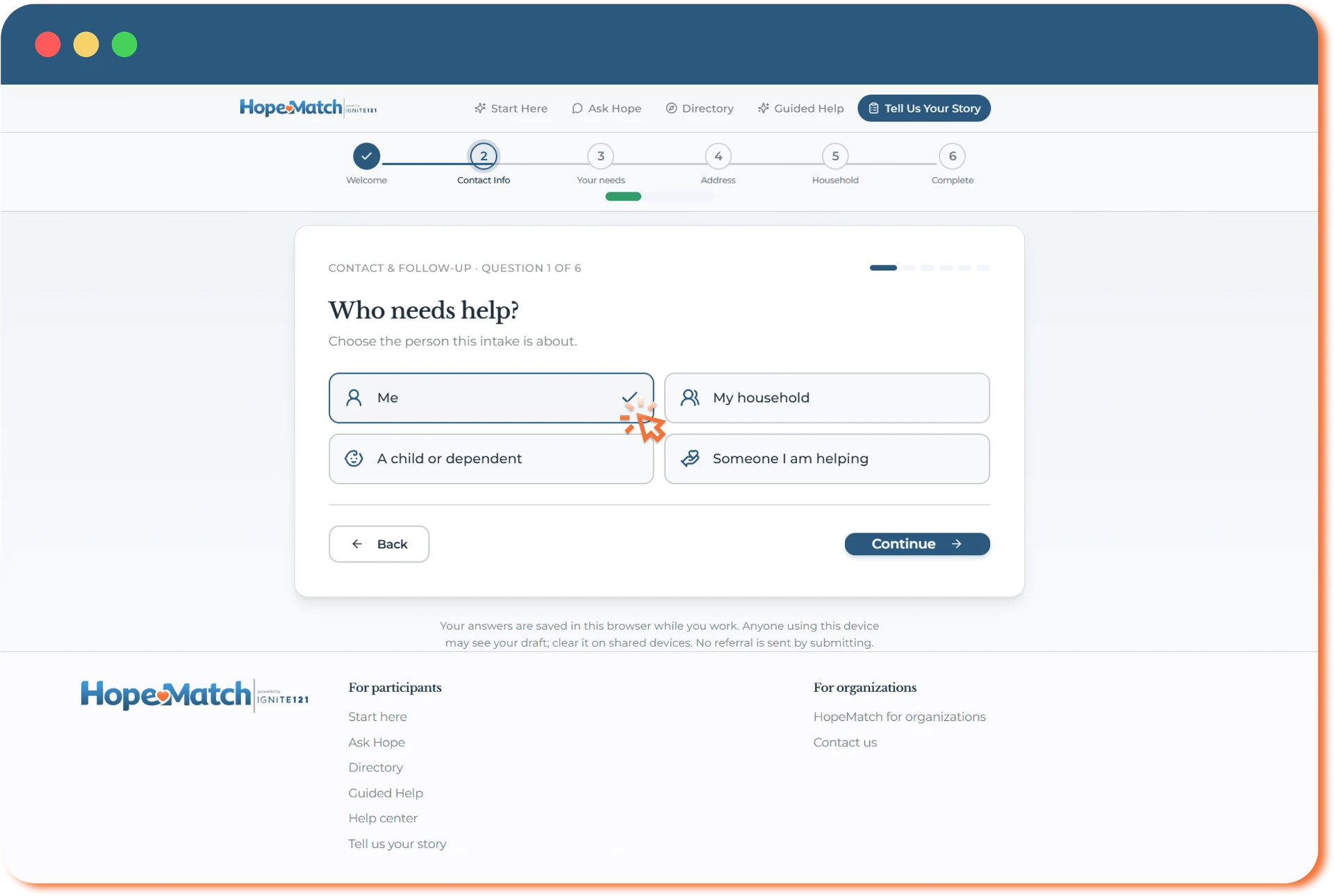
Universal Intake Form

Offer a structured way to explain what is needed.

For people who prefer a form, gather commonly requested details through a guided starting process. The assistant offers another path; neither is required for every search.

Use Discover to

  • Collect relevant contact, household, location, and needs information.
  • Clarify the immediate concern and circumstances that may affect fit.
  • Organize information for appropriate, consent-based reuse.
HouseholdImmediate needLocationConsent

Choose a structured form when that is the clearest way to begin.

HopeMatch universal intake asking who needs help

Inside HopeMatchParticipant view

Universal Intake Form

A guided intake that gathers context once and reuses it later.

04 — Ask

Guided AI Assistant

The first conversation a case manager would have, available the moment someone needs it.

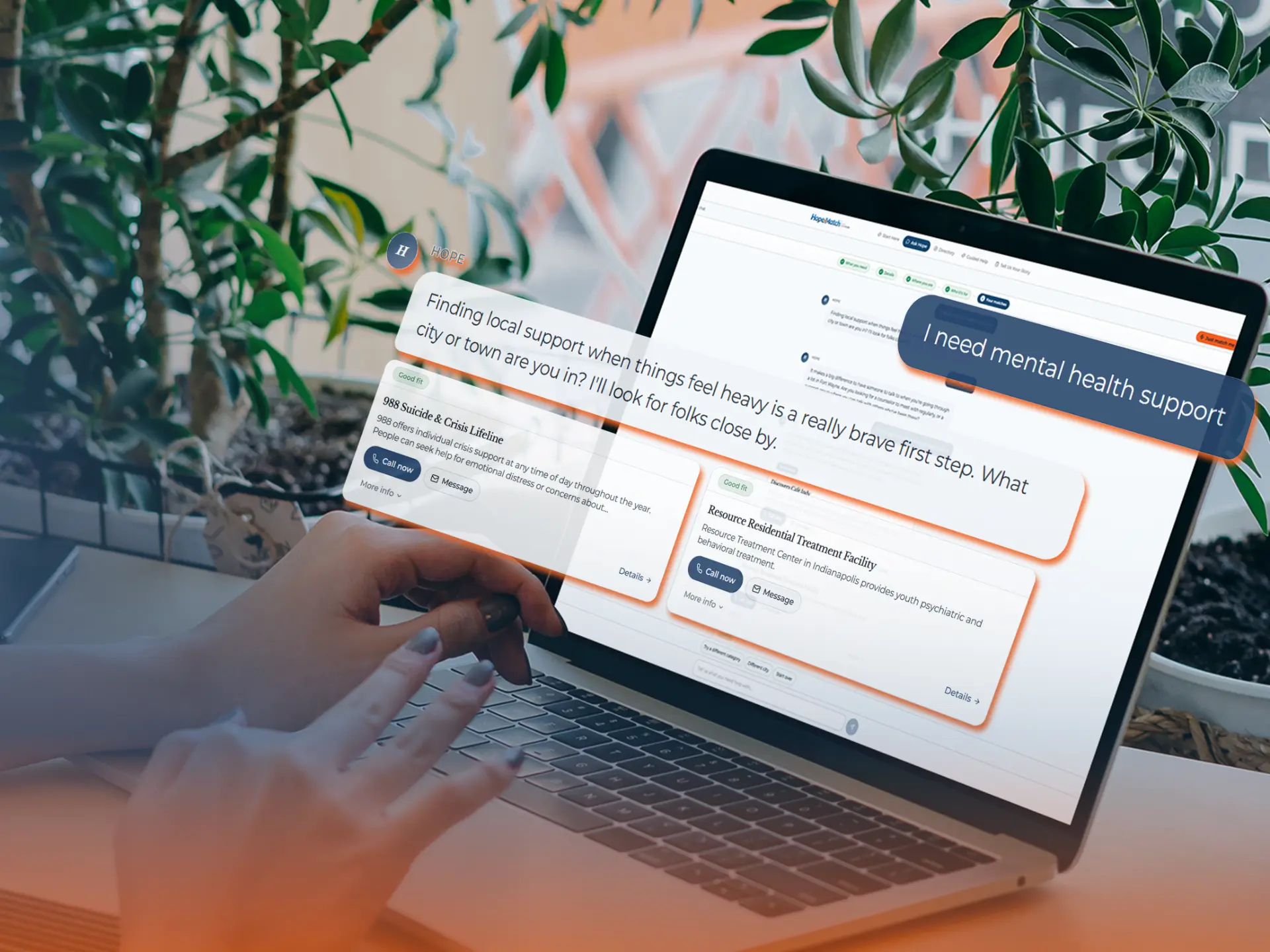
Most people can describe their situation but not the service system. The guided assistant offers a conversational starting path: it listens in ordinary language, asks only the questions that change the answer, and creates a summary the person can correct before matching begins.

What the assistant does

  1. Listens

    Starts from what the person said, not a category menu.

  2. Clarifies

    Who’s at home, where you are, when it needs to happen.

  3. Notices

    Transportation, childcare, documents — needs people don’t raise.

  4. Summarizes

    Shows what it understood, so the person can correct it.

  5. Prepares

    Creates clear context for the matching step that follows.

Why it helps

  • Let someone begin without knowing the right program, term, or department.
  • Carry the answers forward, so nobody retells their story at every step.
  • Hand your staff a person who has already been asked the basics.
  • Catch related needs early, before one request becomes a crisis.
Everyday languageClarifying questionsRelated needsSituation summaryPerson-reviewed context

Few communities can put a case manager in front of every person who needs one at two in the morning.

Clearly identified as technology, never presented as a person. It guides people toward programs — it does not decide eligibility or guarantee availability.

HopeMatch guided AI assistant helping someone find mental health support

Inside HopeMatchParticipant view

Guided AI Assistant

Ask in ordinary language — the assistant clarifies what matters and prepares a summary for matching.

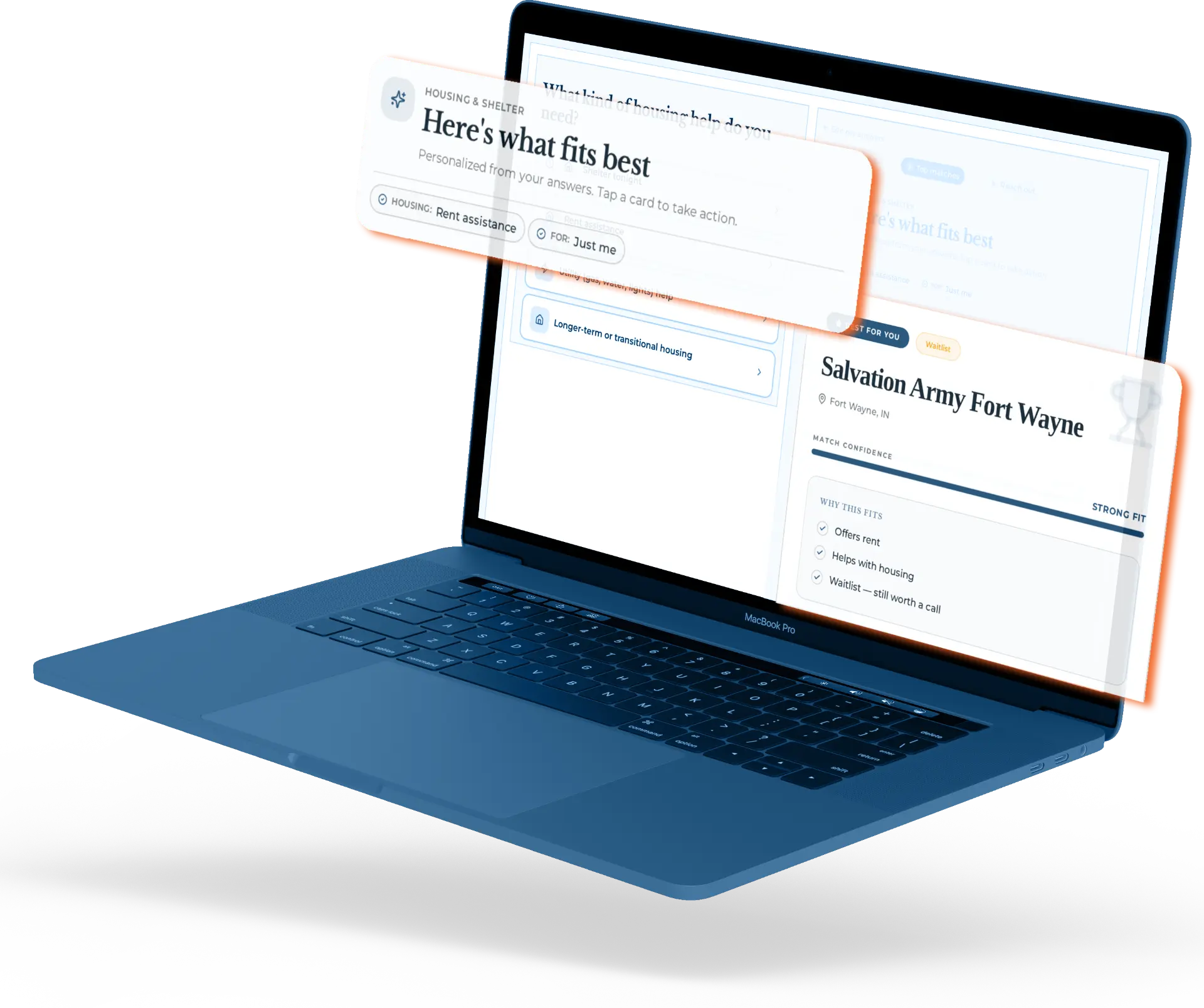
Find a fit

Confirmed needs are compared with provider-maintained program details to surface relevant options.

05 — Match

Smart Matching

Connect people with programs that fit their circumstances.

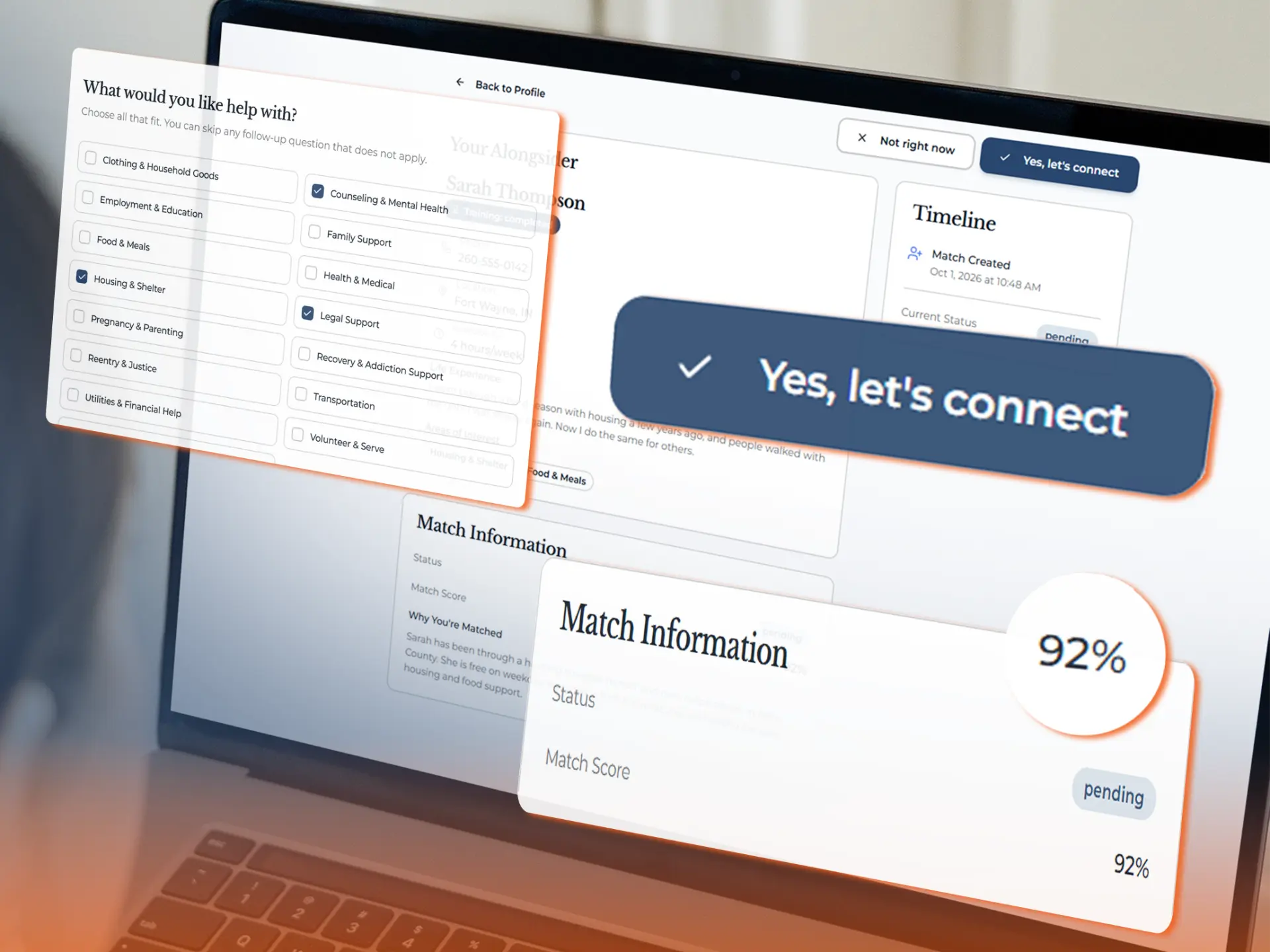
Compare the needs a person has confirmed with provider-maintained program information, then explain why an option may fit and how to begin.

Use Discover to

  • Consider the support requested and household circumstances.
  • Account for service area, eligibility, costs, and requirements.
  • Surface application instructions and capacity information.
EligibilityService areaCostCapacity

Give people relevant options and a reason to pursue them.

HopeMatch smart matching view with a high-confidence connection

Inside HopeMatchParticipant view

Smart Matching

Ranked options with a plain-language reason for each fit.

Carry context forward

A person can choose what to save and reuse after the immediate search, without giving up control of their information.

06 — Return

Participant Profile

Make common information reusable.

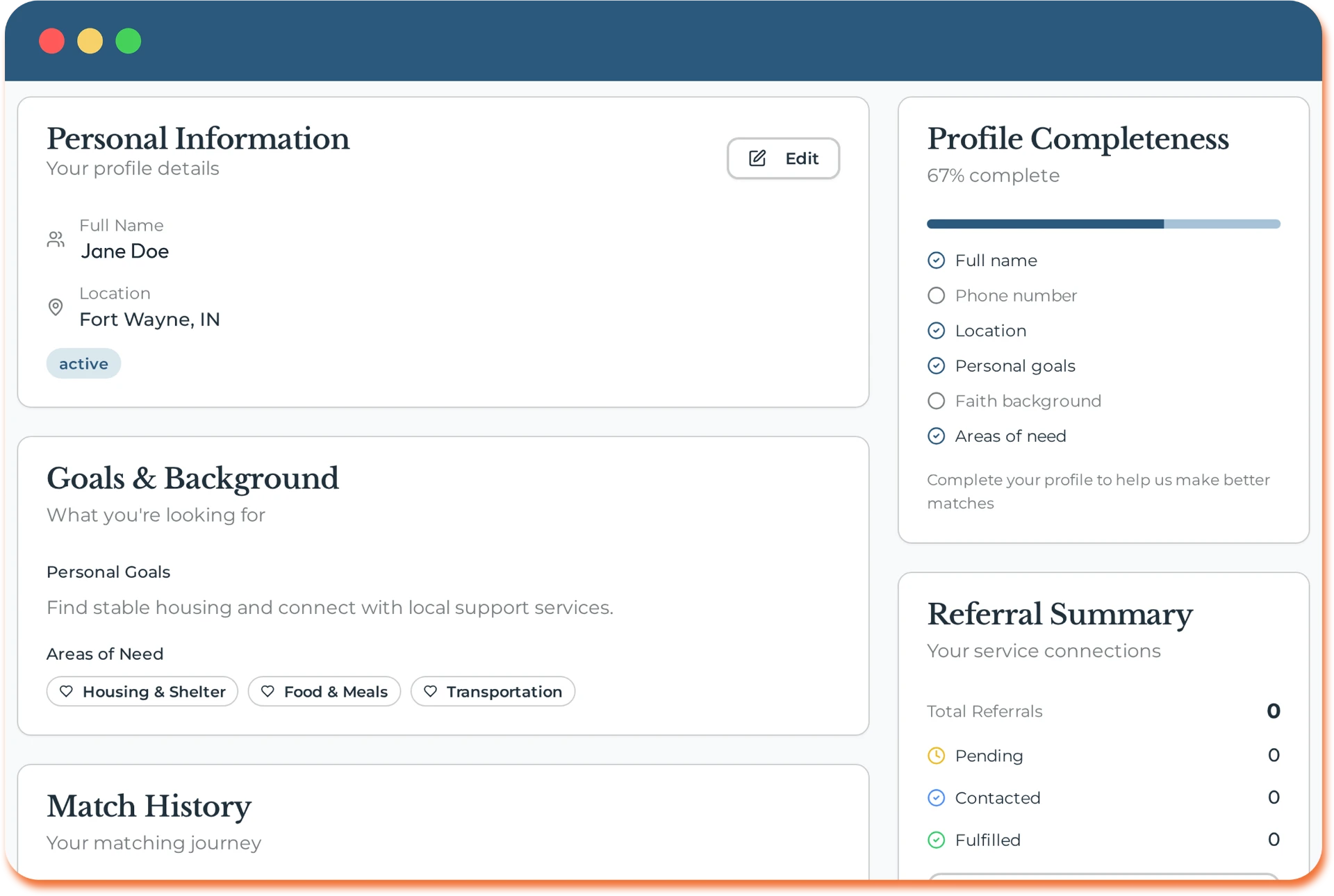
When someone chooses to save their information, a reusable profile can support later applications and introductions without making them start over.

Use Discover to

  • Keep contact details, needs, and communication preferences together.
  • Reflect changing circumstances as the person’s situation changes.
  • Choose what to reuse for future applications and prepared introductions.
Contact detailsHouseholdPreferencesSharing choices

Preserve useful context while protecting each person’s choice about sharing it.

HopeMatch participant profile with goals, needs, and referral summary

Inside HopeMatchParticipant view

Participant Profile

An optional profile with clear choices about what carries into future steps.

Take the next step

Depending on the provider, a person may prepare an application or make direct contact — then follow up if the path stalls.

07 — Apply

Application Assistance

Help people move from a recommendation toward a completed application.

When a provider uses an application and the connection supports it, information already provided can pre-fill common fields and reveal what is still needed.

Use Discover to

  • Reuse relevant information from intake or the participant profile.
  • Surface additional questions specific to the program.
  • Help the person prepare for the provider’s application process.
Prefilled fieldsProgram questionsNext steps

When an application is the next step, spend less effort copying and more attention completing it.

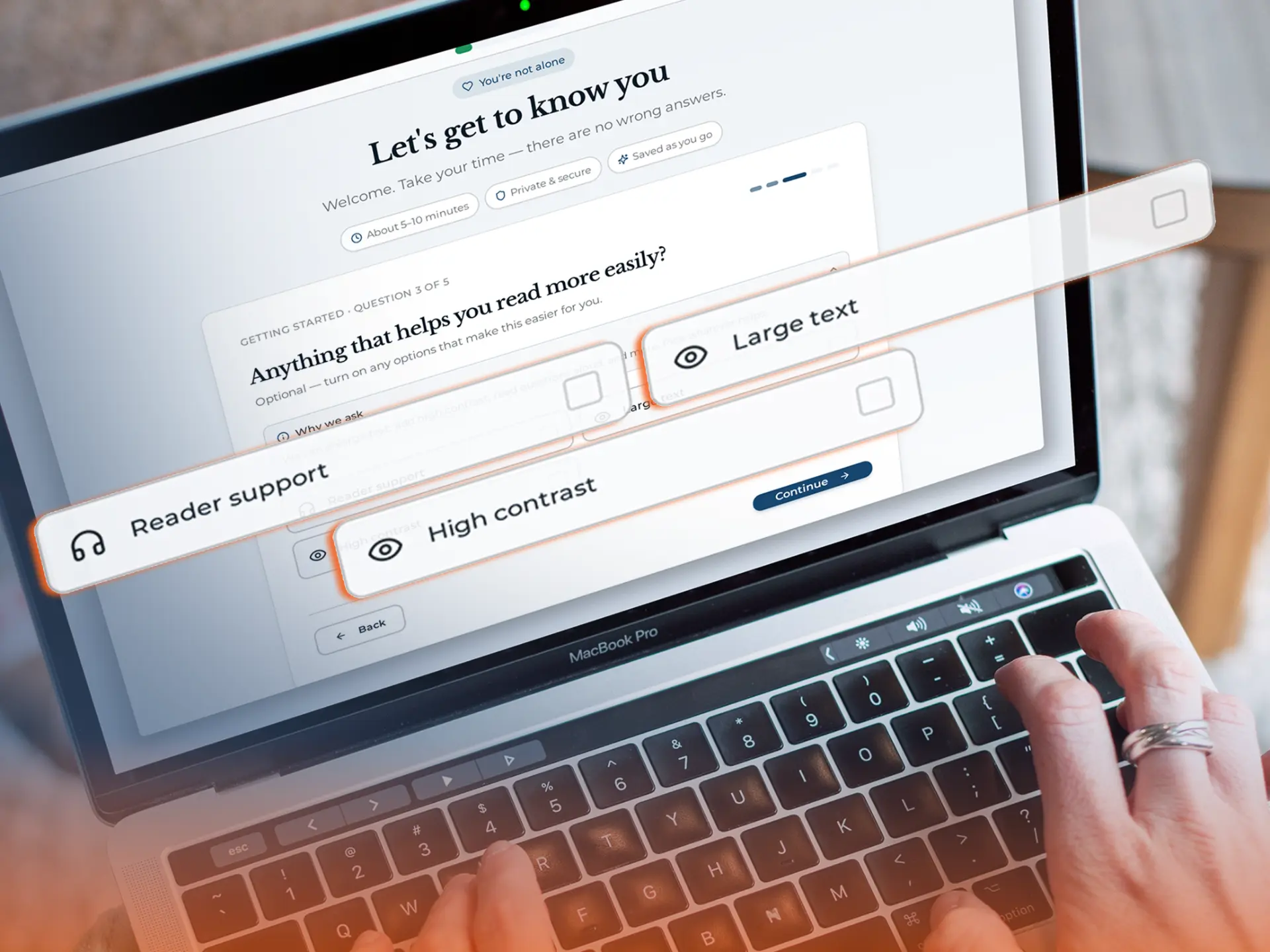
HopeMatch application assistance with accessibility options

Inside HopeMatchParticipant view

Application Assistance

Answers carried from the profile, with only what’s missing left to fill.

08 — Connect

Communication Tools

Give people a clear way to reach out — and hear back.

When direct contact is the next step, Discover helps participants approach an organization with the right details in hand and in the way that works for them.

Use Discover to

  • Reach out with context: contact details, hours, and what to bring are attached to every program.
  • Choose how to connect — call, message, or visit — with communication preferences respected.
  • Send a prepared introduction drawn from the intake, so nobody has to retell their story.
  • Review the introduction before anything is shared with the organization.
Prepared introductionCall, message, or visitCommunication preferencesReview before sharing

A connection that leads somewhere — not a phone number and a dead end.

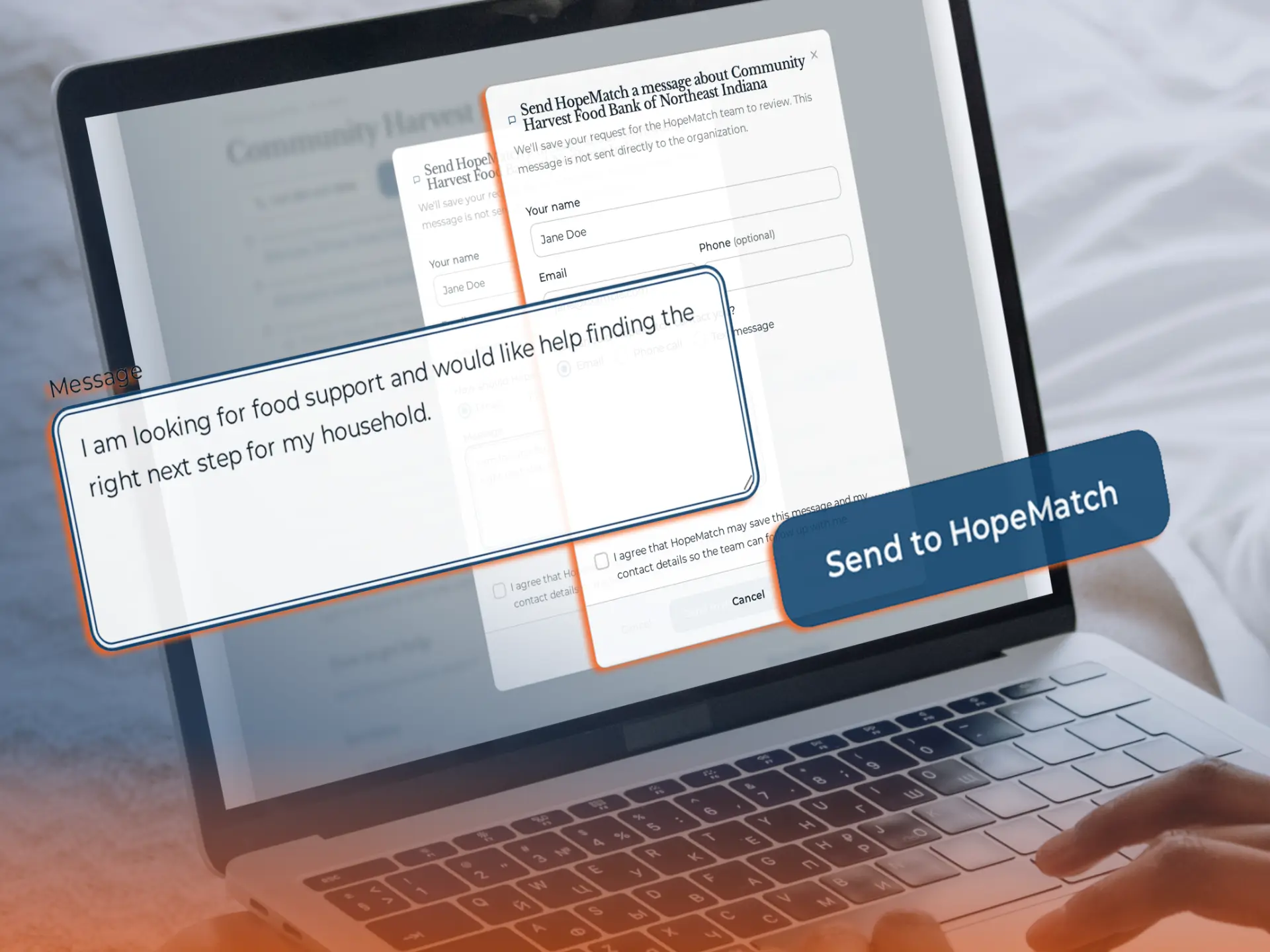
HopeMatch communication tool preparing a message to a provider

Inside HopeMatchParticipant view

Communication Tools

A person-reviewed introduction, shared through the contact method that works best.

Follow-up

Keep an unsuccessful connection from becoming the end of the search.

After an application or direct contact, an unanswered message, a waitlist, or an eligibility mismatch can leave someone unsure where to turn. Optional follow-up can ask what happened and help them consider another relevant option.

Give people a way to answer “What do I do now?”

How a dead end becomes a next step

  1. Referral sent

    Riverside Food Pantry

  2. ?

    No answer after 3 days

    The connection stalled

  3. Discover checks in

    “Were you able to connect?”

  4. New option offered

    Eastside Community Kitchen · open today

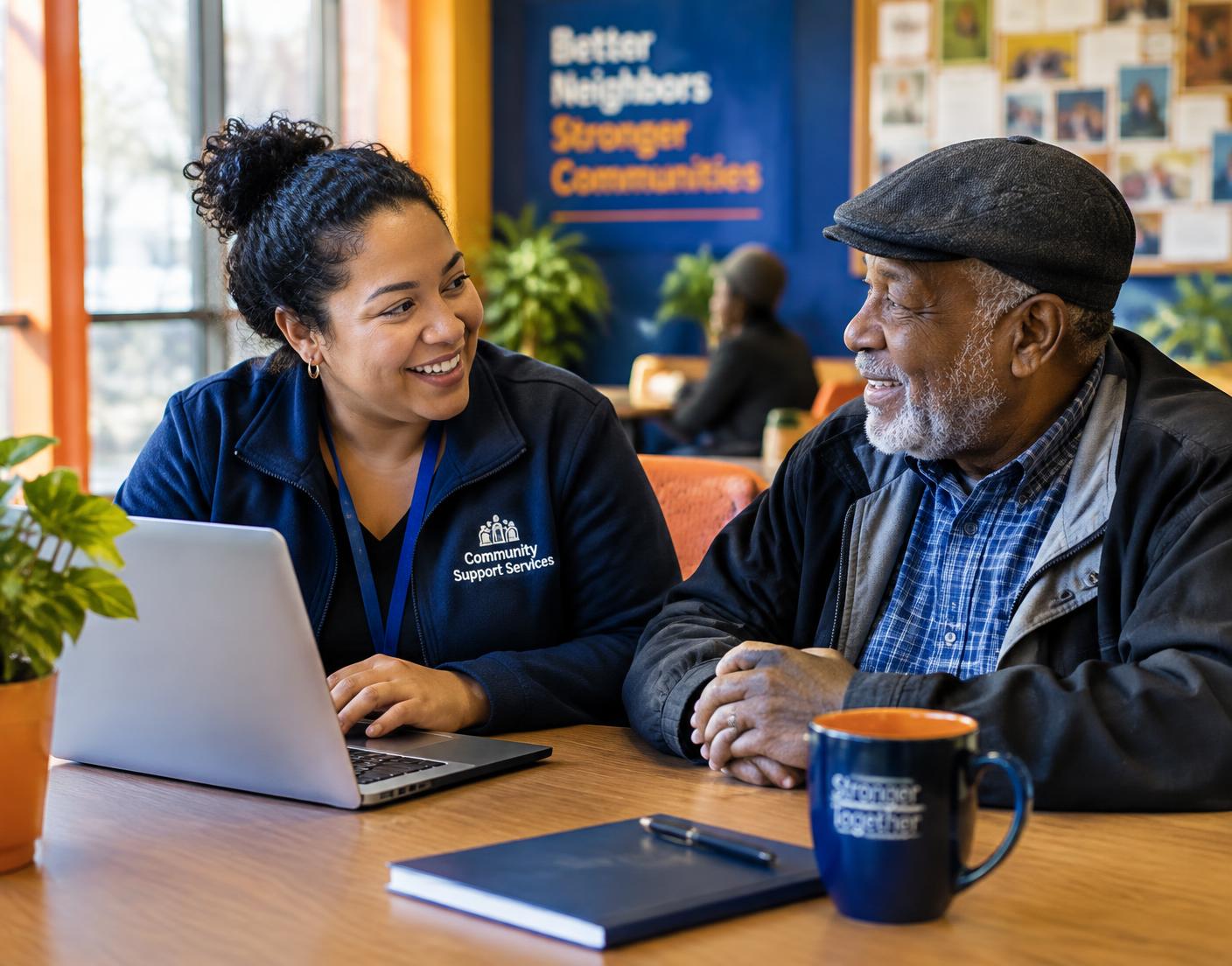
A community navigator talking with an older man at a community center

Discover handles

Directories, intake, matching & follow-up

Your team keeps

Relationships & judgment

Human at the center

Less administrative friction. More room for human care.

Your team brings relationships, local knowledge, and professional judgment that software cannot replace.

Discover supports the work around those relationships: organizing service information, gathering common details, identifying options, and following up.

The goal is not to replace the people doing the caring. It is to make their work easier to support.

For your community

Built for the public. Strengthened by partners like you.

Food pantry volunteers handing groceries to a family

Nonprofits & service providers

Help the right people understand your services.

Make your programs, requirements, and next steps easier to find while giving your team a shared resource for support beyond your organization.

A community nurse speaking with an expectant mother

Foundations, healthcare & coalitions

Strengthen access to the programs you support.

Build a shared public resource or a focused pathway around priorities such as prenatal care, housing, or family support.

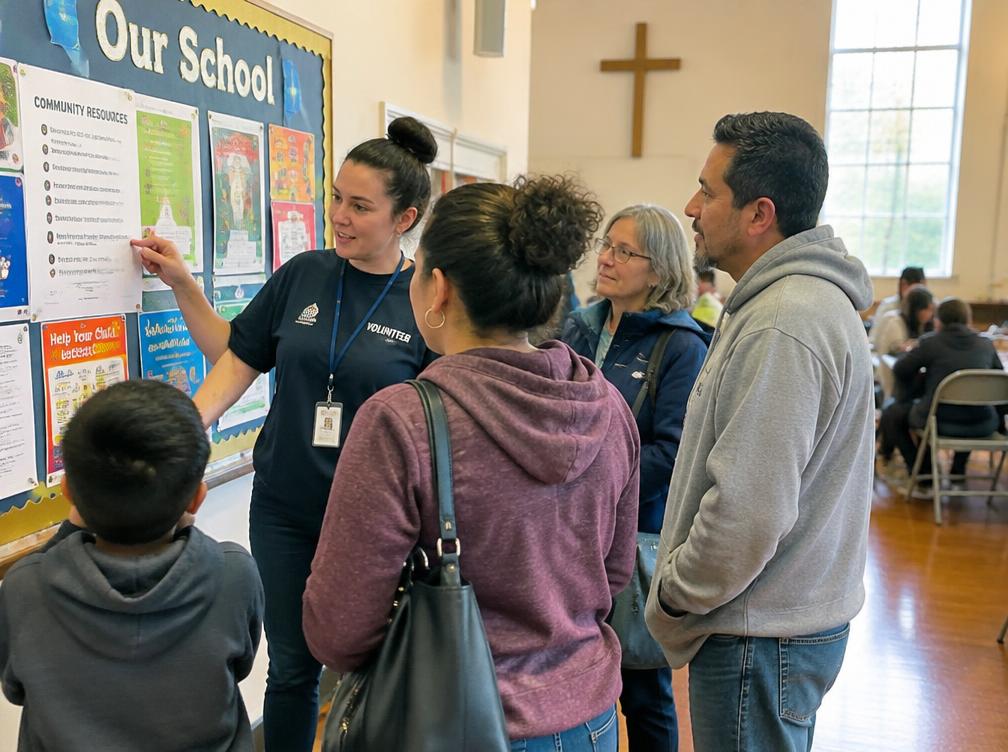
A volunteer showing neighbors a community resource board

Businesses, churches & schools

Give people a practical place to begin.

Introduce Discover to employees, families, and neighbors whose needs extend beyond what your organization can provide.

Questions

What partners ask us.

Straight answers for nonprofits, foundations, coalitions, and community partners — including what is built today and what is still taking shape.

Understanding Discover

Service matching & provider information

Intake, applications, and access

Connections and follow-through

Privacy, verification, and reporting

Partnerships and implementation

The HopeMatch system

Part of a connected system. Useful on its own.

Each HopeMatch product stands on its own. Together, they follow the same journey — from finding help, to coordinating it, to engaging the community, to understanding what changed.

Product connections are developed around each deployment's capabilities, permissions, and information-sharing practices.

Help your community move from searching to taking the next step.

Let’s explore how Discover could strengthen the work your organization is already doing.

Come ready to share your audience, the access problem you want to solve, and the community resources you already have in place.

Request a demo

This opens a draft in your own email app — nothing is stored or sent by this website.

HopeMatch Discover · A better front door to care.