
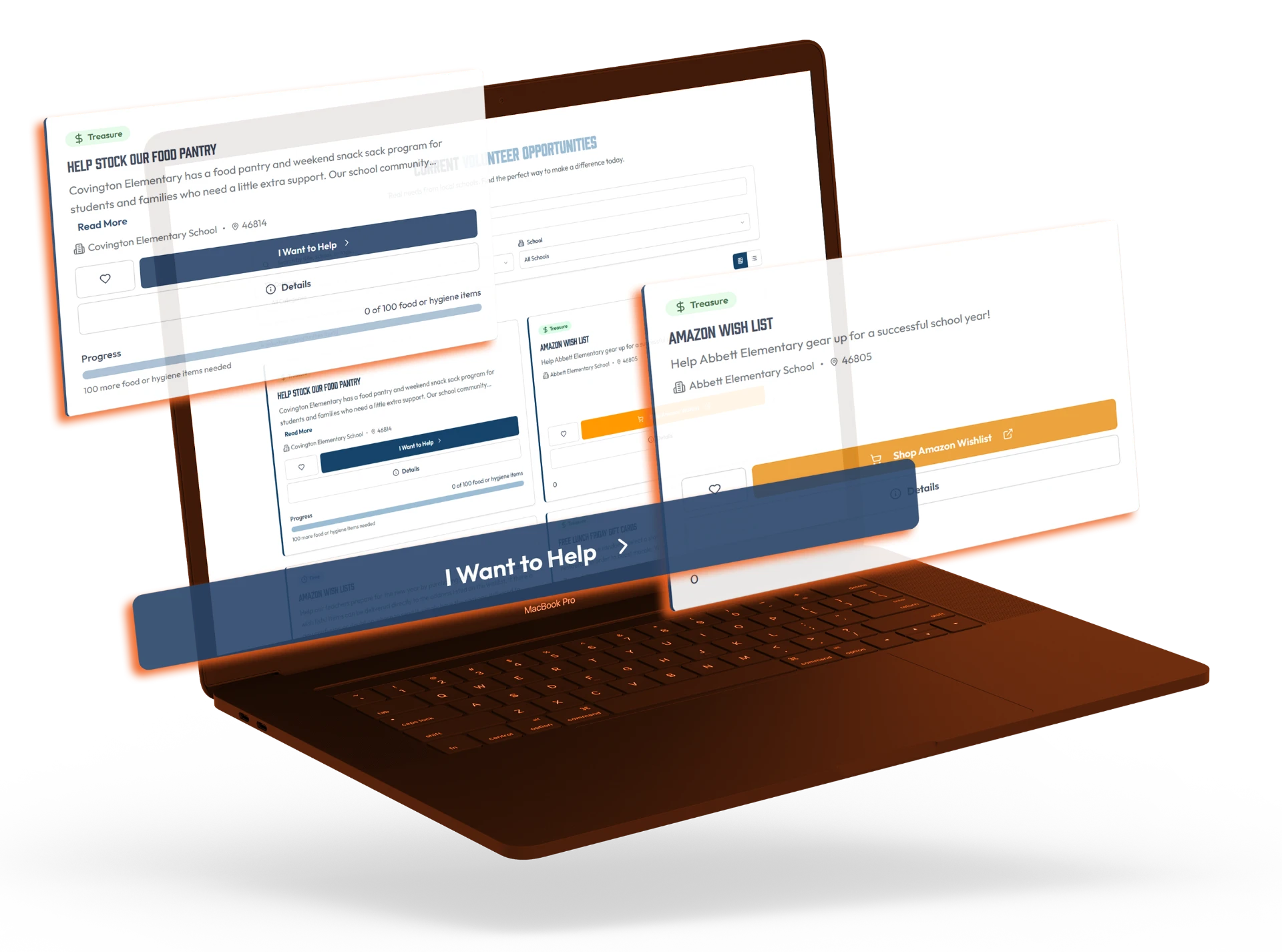
Time
Turn willingness into participation through mentoring, tutoring, event support, meal preparation, and practical assistance.
- Mentoring
- Tutoring
- Event support
- Meal preparation
- Practical assistance
HopeMatch Mobilize
Mobilize puts an unmet need in front of the volunteers, donors, businesses, and neighbors who can act on it — then keeps track of what is promised, provided, and still outstanding.
A housing program helps a family find a home, but they still need furniture. A school identifies students who would benefit from reading support, but needs more mentors. A nonprofit has a program ready to serve people, but lacks volunteers, supplies, or specialized expertise.
At the same time, people want to help. They may not know what is needed, whether their contribution would be useful, or how to get involved. Requests become scattered across social posts, newsletters, forms, and personal conversations.
The willingness to help is already there — it needs a clear path.

Social posts
Forms & inboxes
Personal conversations
Mobilize connects the needs your organization understands with the people and resources your community can offer.
Turn willingness into participation through mentoring, tutoring, event support, meal preparation, and practical assistance.
Connect your organization with people offering technology, trade, financial, creative, coaching, or other professional expertise — subject to appropriate qualifications and oversight.
Make specific requests for funding, supplies, furniture, food, clothing, equipment, facilities, and sponsorship.
The platform
From defining the opportunity to recording what was fulfilled, Mobilize keeps each step connected to the people responsible for it.
01 — Define
Make each request specific enough to act on.
Mobilize helps your team turn a general need into a structured opportunity. Instead of “Our program needs help,” explain the role, resource, or contribution that would make a difference — connected with an organization and a coordinator responsible for the response.
Use Mobilize to
Make it easier for someone to understand the need and decide how they can help.
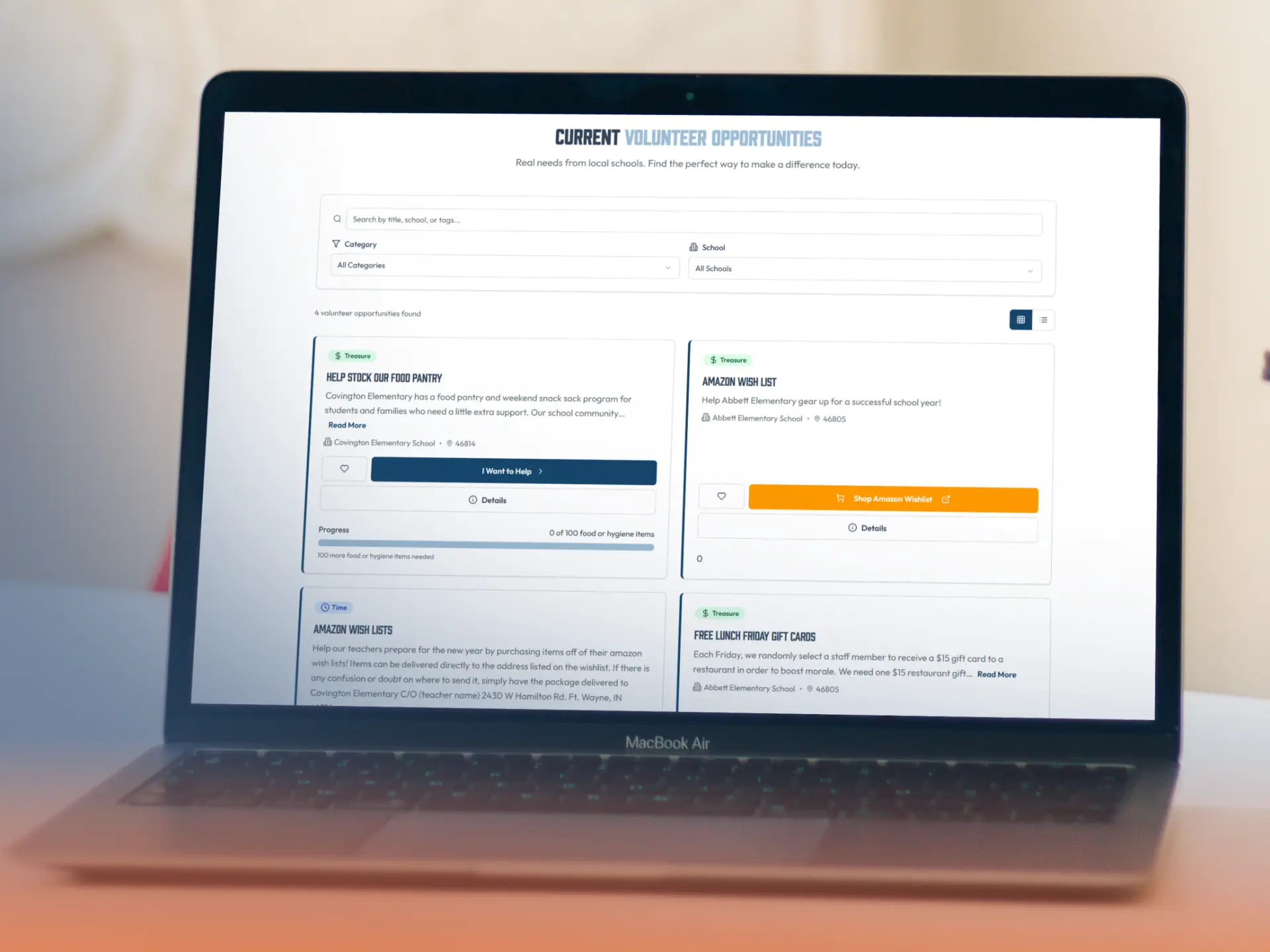
Inside HopeMatchCoordinator view
Needs and Opportunity Management
A general need becomes a specific, actionable opportunity with a named coordinator.
02 — Check
Direct generosity toward the gaps that remain.
Sometimes the right response is a volunteer or donated item. Sometimes an established program already provides the support. The HopeMatch vision connects Mobilize with Discover and Networks to help organizers identify existing services before requesting additional community resources.
Use Mobilize to
Use the system of care where it can help. Mobilize the community where it can contribute.
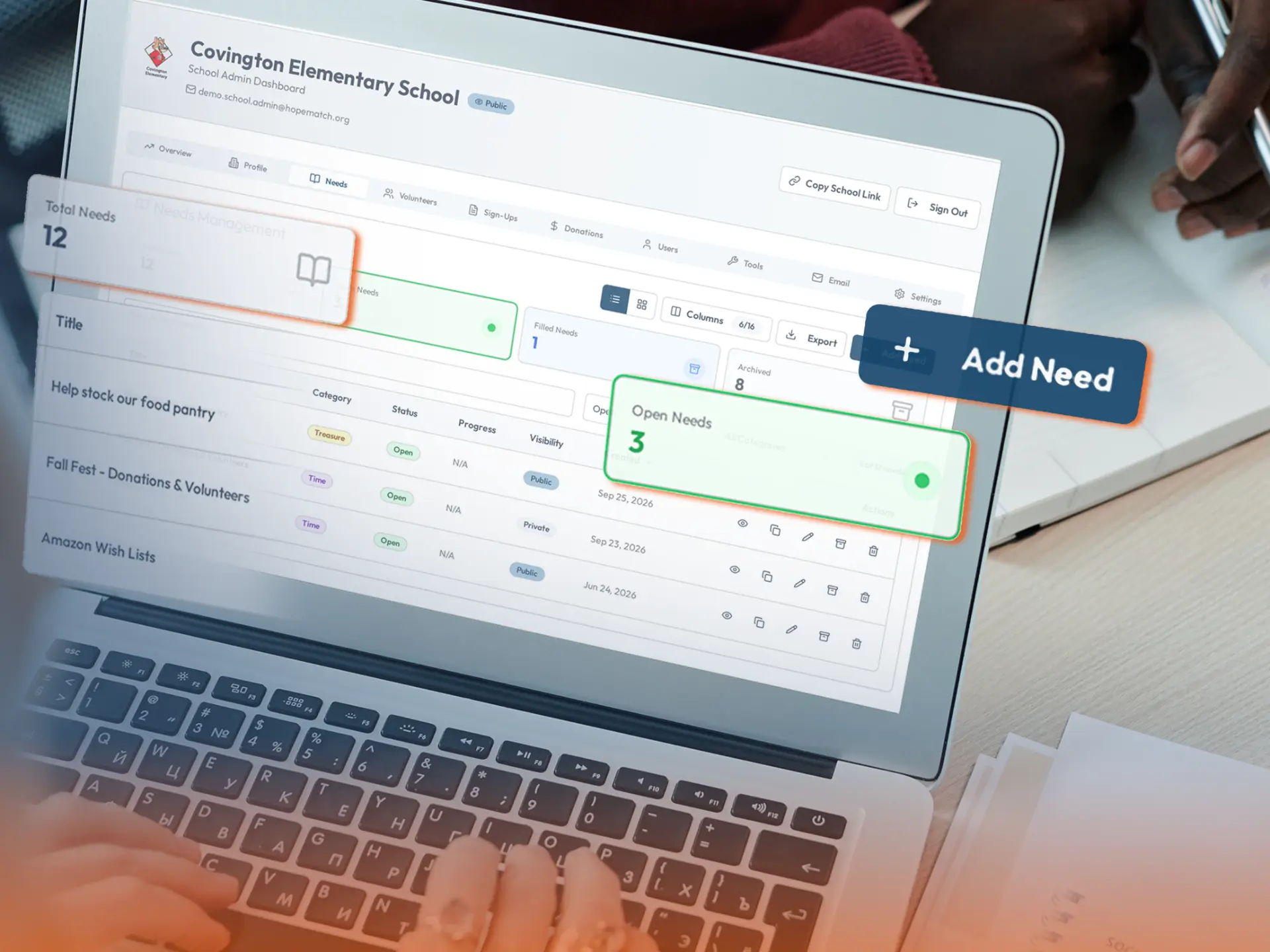
Inside HopeMatchCoordinator view
Existing Resource Check
Existing programs are considered first; community requests focus on what remains.
03 — Recruit
Connect willing people with work that fits.
A person may want to serve without knowing where their time or skills would be useful. Mobilize connects responses to specific opportunities, giving coordinators a clearer picture of what someone is offering and where they may fit.
Use Mobilize to
Move from a list of interested people to useful participation.
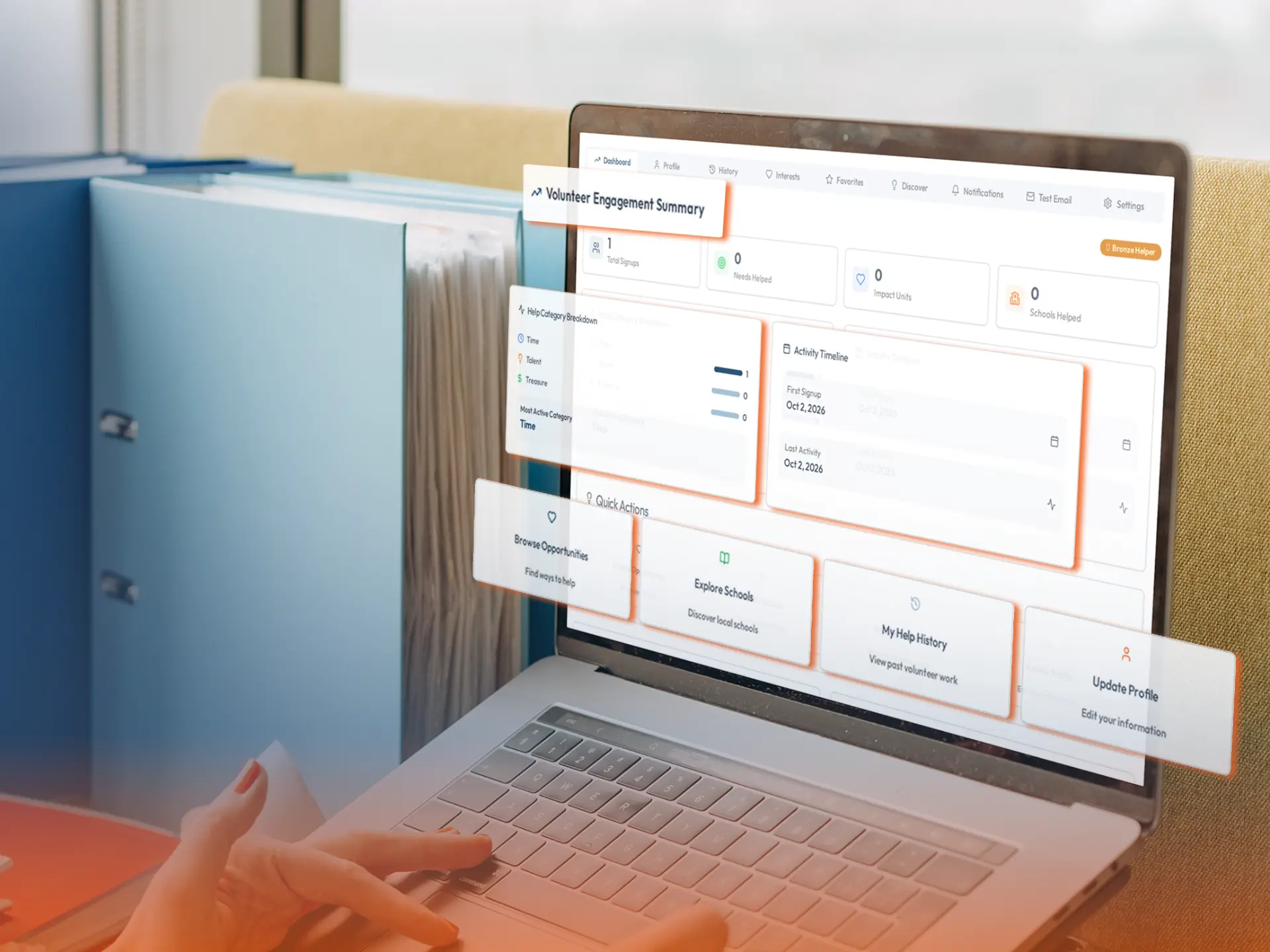
Inside HopeMatchCoordinator view
Volunteer Recruitment and Community Matching
Responses arrive connected to the opportunity, with the details needed to coordinate.
04 — Request
Connect generosity with what is actually needed.
Mobilize helps organizations communicate specific material and funding needs rather than rely on general appeals. A request can explain which items are needed, how they will be used, and what arrangements are necessary — and donor interest stays connected to the program it supports.
Use Mobilize to
Make it easier to give something your organization can put to use.
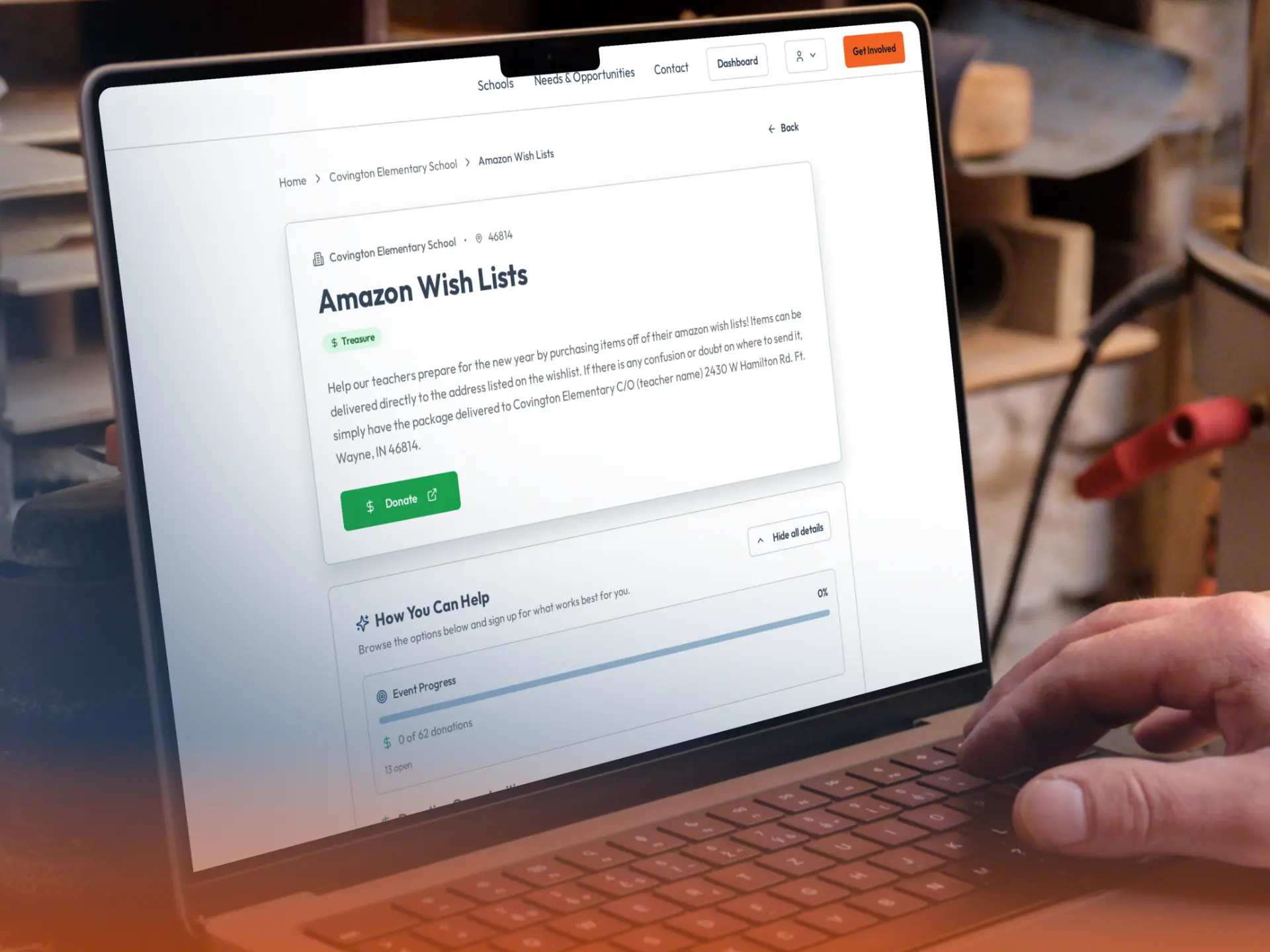
Inside HopeMatchCoordinator view
Donation, Supply, and Sponsorship Requests
Specific item requests with pledges tracked separately from what has arrived.
05 — Collect
Keep every response connected to the right need.
Staff requests, volunteer registrations, item pledges, and partnership inquiries can quickly become separate lists. Mobilize connects the information collected with the relevant opportunity, organization, and coordinator.
Use Mobilize to
Capture the response in a way that supports the next action.
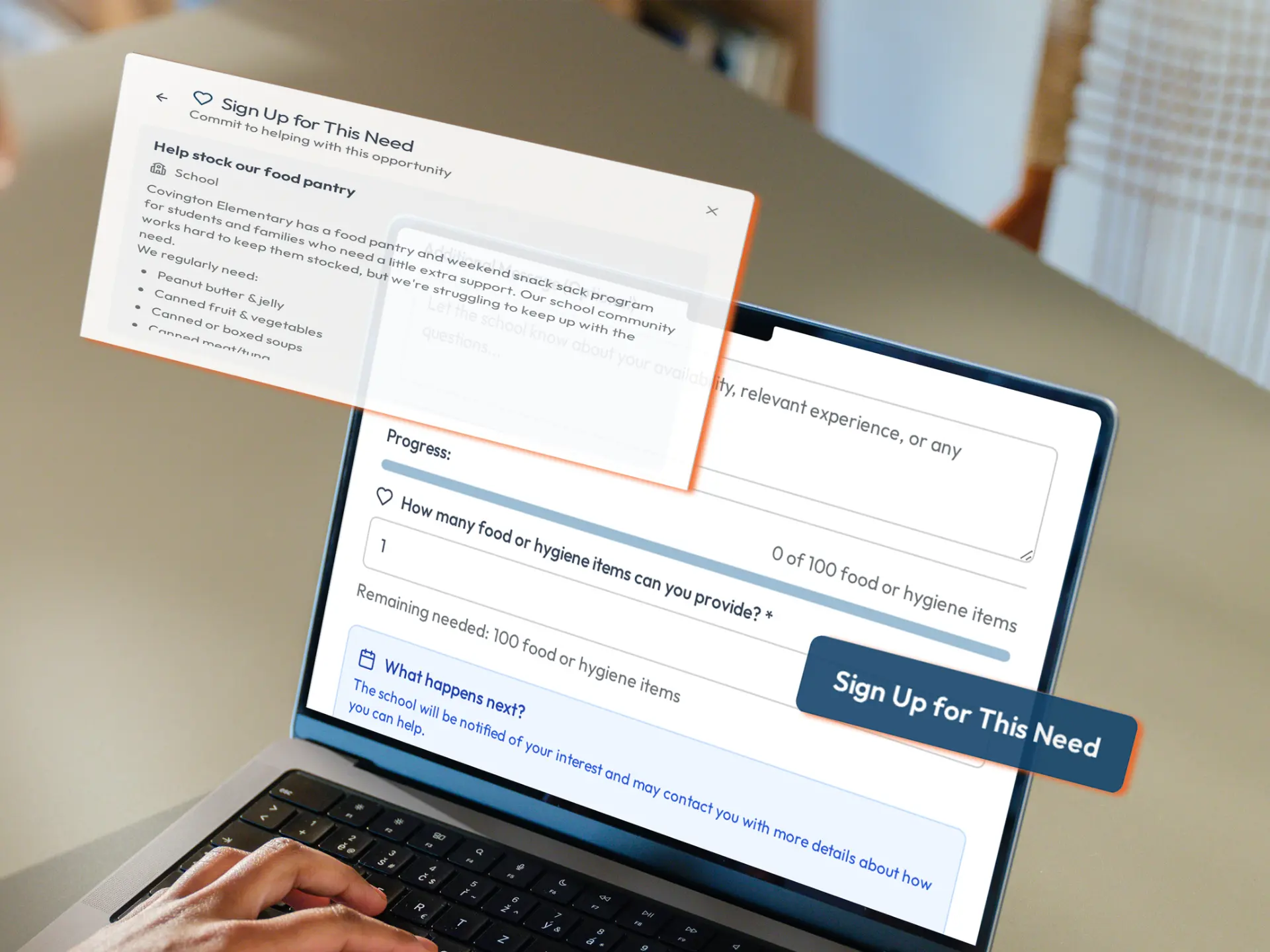
Inside HopeMatchCommunity view
Online Forms and Sign-Ups
A sign-up linked directly to the opportunity and routed to its coordinator.
06 — Nurture
Build on your community relationships over time.
Your supporters offer more than contact information. They bring skills, interests, relationships, and experience. Mobilize keeps relevant volunteer, donor, sponsor, and partner details organized so useful information does not depend on one staff member’s memory.
Use Mobilize to
Turn individual responses into relationships your organization can continue to nurture.
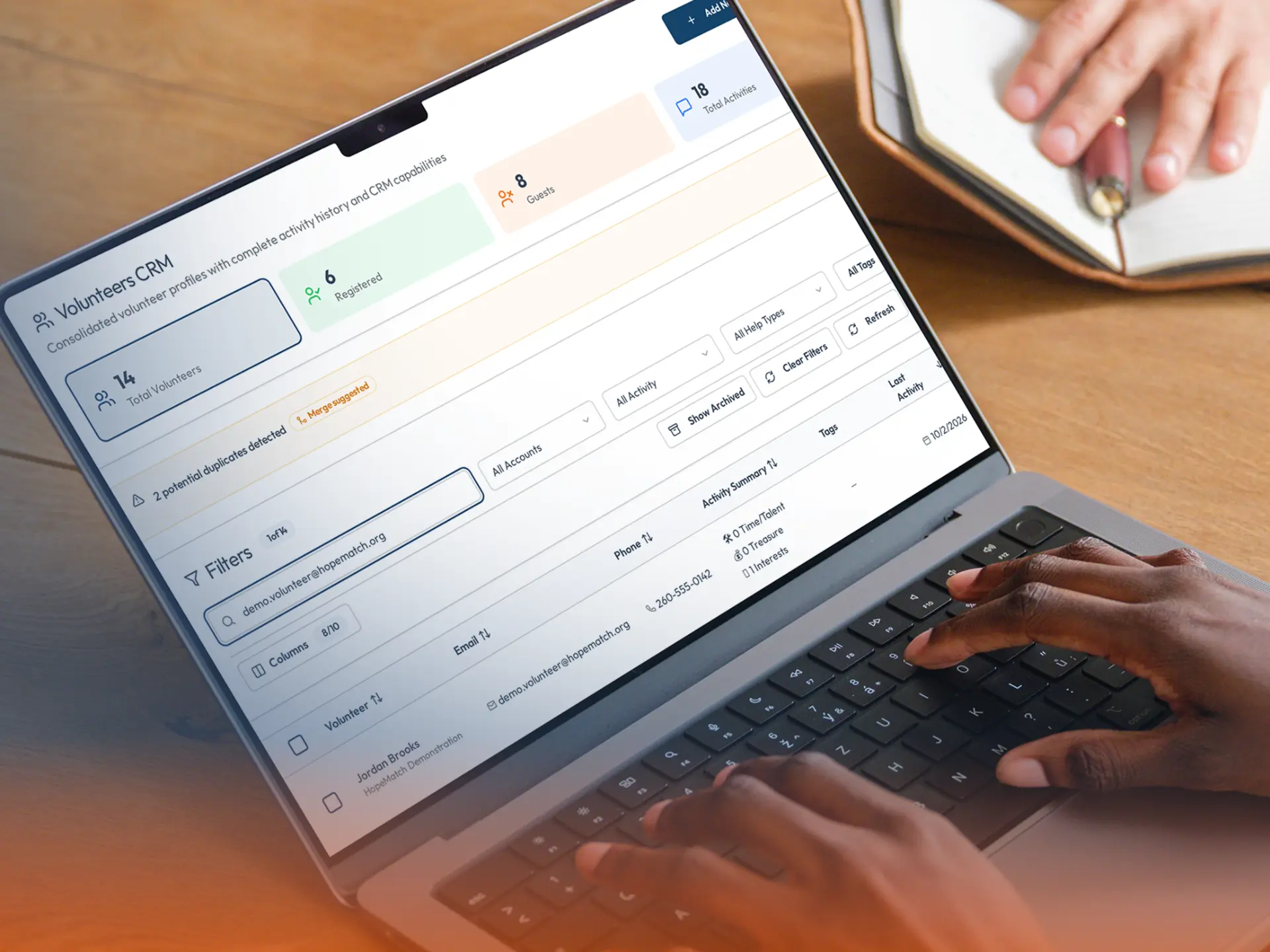
Inside HopeMatchCoordinator view
Supporter Database
Skills, interests, and past involvement organized for future outreach.
07 — Follow up
Give every offer of help a clear next step.
Someone signs up, pledges an item, or offers expertise. Now they need to know what happens next. Mobilize supports communication connected to the opportunity so organizers can acknowledge responses, explain requirements, and coordinate the contribution.
Use Mobilize to
Make it clear that an offer was received and someone is responsible for the next step.
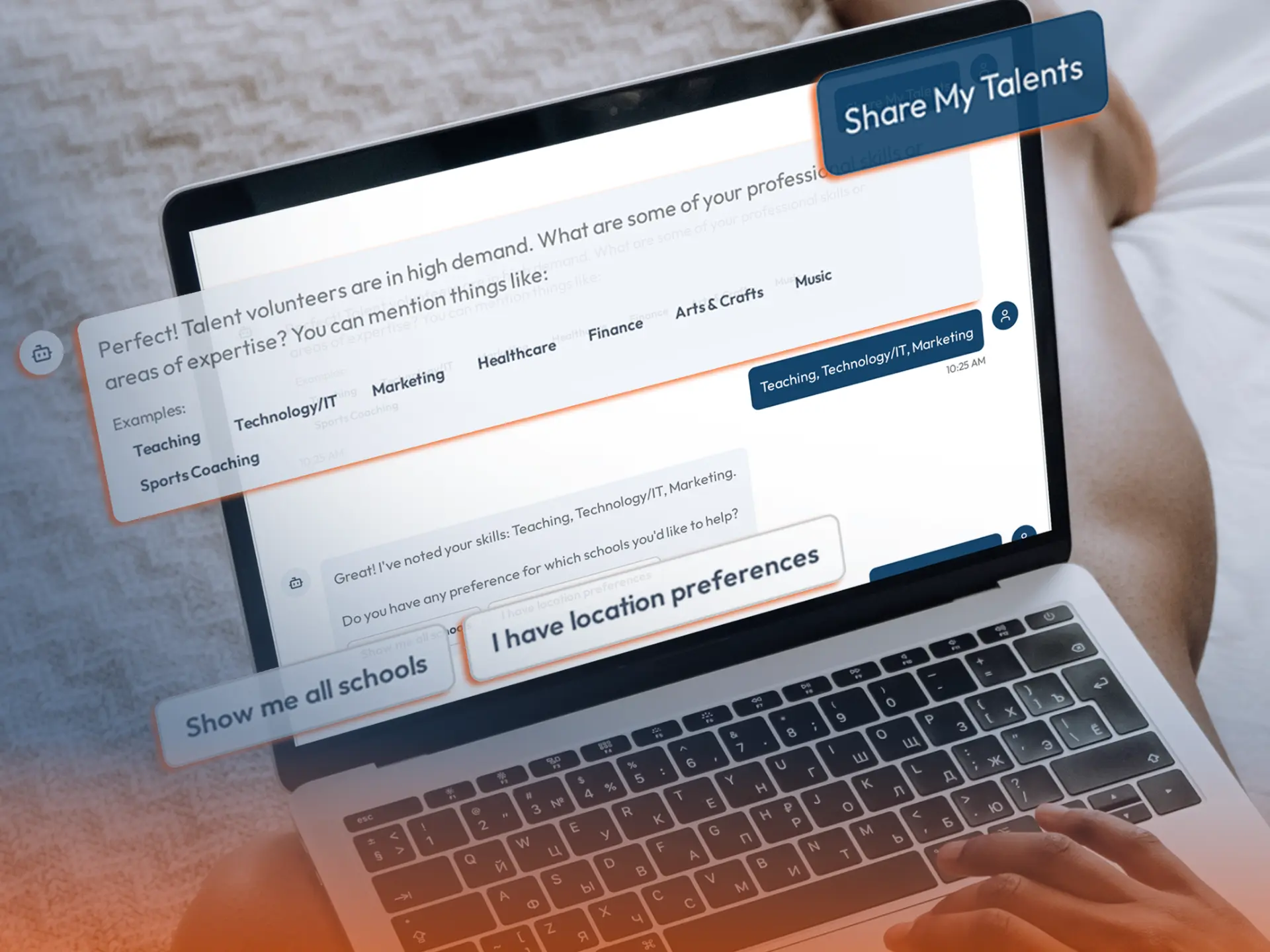
Inside HopeMatchCoordinator view
Communication and Follow-Up
New responses notify the coordinator, and the conversation stays connected to the opportunity.
08 — Track
Follow the need beyond the sign-up.
A commitment is progress. It is not the same as completion. Mobilize helps your organization distinguish support that has been offered from support that has actually been provided.
Use Mobilize to
Know what is open, what is in progress, and what has genuinely been met.
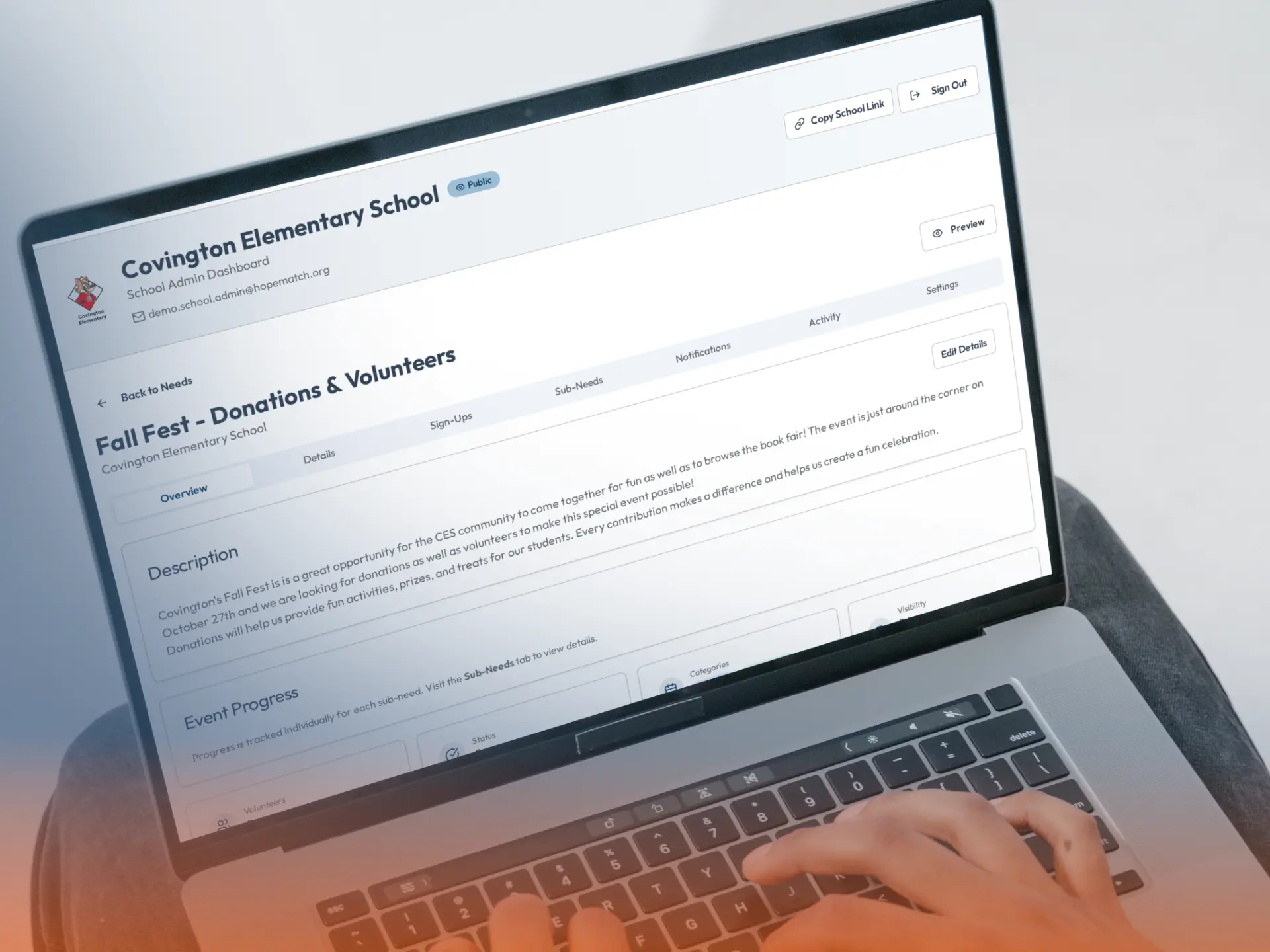
Inside HopeMatchCoordinator view
Commitment and Fulfillment Tracking
Commitments and fulfilled contributions tracked side by side against the original request.
09 — Publish
Give your community a shared place to respond.
Bring your organization’s current needs into one destination instead of creating a disconnected form for every request. Organization pages help people understand your mission and explore opportunities; broader deployments can bring together participating schools, churches, nonprofits, or coalition members.
Use Mobilize to
Start with the relationships you have and create a clearer way for them to participate.
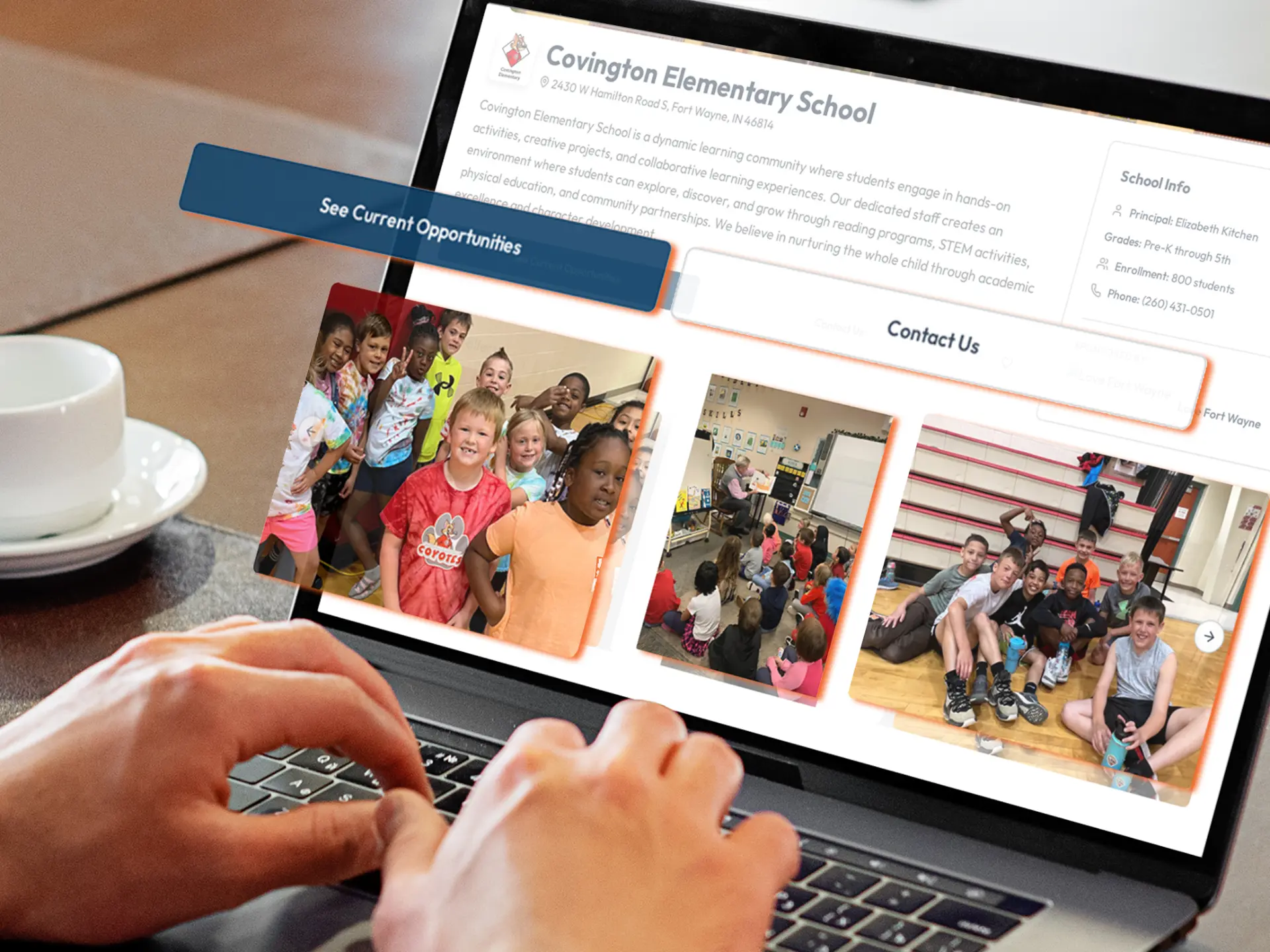
Inside HopeMatchCommunity view
Organization Pages and Community Portals
One shared destination for an organization’s current ways to help.
10 — Report
Show what community participation helped accomplish.
Mobilize’s operational reporting connects the requests your team publishes with the responses and results it records. Review open opportunities, participation, outstanding commitments, and fulfilled needs — and use that information to guide follow-up and communicate progress.
Use Mobilize to
Measure more than how many people raised their hands. Understand what their participation helped provide.
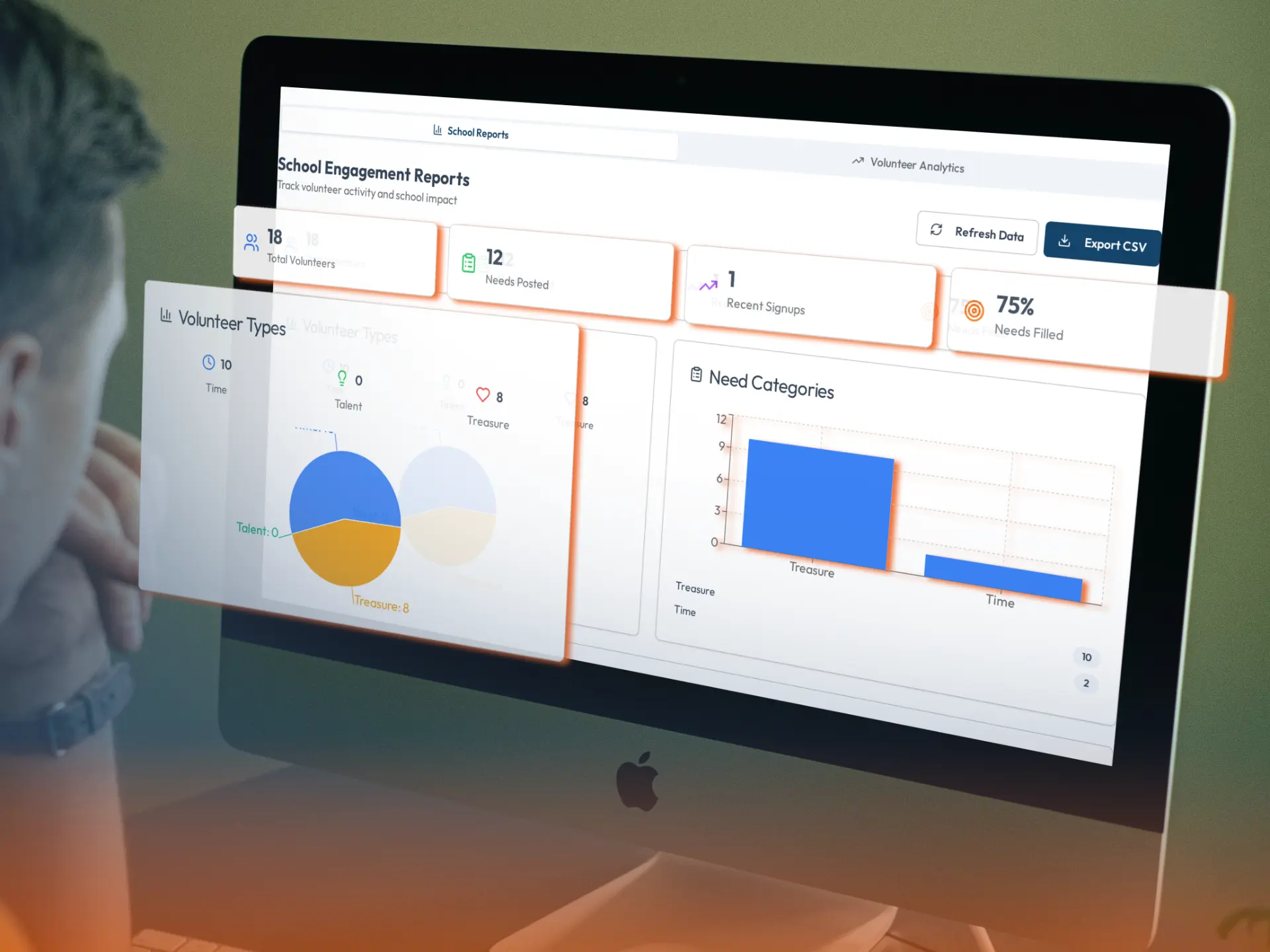
Inside HopeMatchOrganization view
Reporting and Outcome Visibility
Requests, responses, and fulfilled needs in one operational view — feeding Impact.
The connected vision
Consider a family moving into stable housing. Each HopeMatch product plays a part.
Discover
Helps identify relevant housing services.
Networks
Helps participating providers coordinate the referrals and support.
Mobilize
The family secures housing, but furniture and moving help remain. A trusted organization creates appropriate opportunities, engages donors and volunteers, coordinates delivery, and records what was provided.
Impact
Connects those recorded outcomes with the broader journey, helping leaders understand both the services delivered and the practical support still needed.
This illustrates the connected HopeMatch vision. Product connections are developed around each deployment’s capabilities, permissions, and information-sharing practices.
Mobilize does not replace formal care. It brings the community into the parts of the response it can appropriately support.
For your community
Nonprofits and service providers
Recruit volunteers, request supplies, engage expertise, and sponsor appropriate practical needs affecting the people you serve.
Schools and school systems
Organize mentors, classroom support, career speakers, supplies, and program resources through a consistent process.
Churches and ministries
Coordinate service opportunities, ministry needs, neighborhood projects, and appropriately sponsored requests through people your community knows and trusts.
Businesses and employee groups
Connect with organization-defined opportunities for team service, professional expertise, donated goods, and sponsorship.
Foundations and coalitions
Explore sponsoring a shared Mobilize deployment, supporting coordinator training, and helping participating organizations engage their communities more effectively.
The HopeMatch system
Each HopeMatch product stands on its own. Together, they follow the same journey — from finding help, to coordinating it, to engaging the community, to understanding what changed.
Discover
Helps people find relevant local programs and understand what to do next.
Networks
Helps organizations coordinate referrals, communication, and outcomes.
Mobilize
This pageTurns unmet needs into opportunities for volunteers, donors, and neighbors.
Impact
Brings the recorded journey together so leaders can see needs, outcomes, and gaps.
Product connections are developed around each deployment's capabilities, permissions, and information-sharing practices.
A practical path
Mobilize can be your starting point — you do not need the entire HopeMatch platform to begin. Discover and Networks help people access established programs and coordinate care across providers. Mobilize brings the broader community into that response, with structure that keeps the relationships in it.
Walk through creating an opportunity, collecting responses, coordinating commitments, and recording fulfillment.
Identify a program, group of needs, or community initiative that would benefit from more organized support.
Define coordinators, review practices, initial opportunities, outreach, training, and follow-up responsibilities. Begin with one organization or explore a shared deployment across several partners.
Questions
You understand the needs affecting your organization and the people you serve. HopeMatch Mobilize helps you turn those needs into actionable opportunities, bring willing people into the response, and follow through on what remains to be done.
Come ready to share the needs your organization knows best, the community you want to engage, and how requests and follow-up work today.
HopeMatch Mobilize · Connecting the community into acts of care.